
Last reviewed: August 3, 2026
This guide provides detailed instructions on reporting and managing key resources for your science amendment request. It covers the identification and documentation of power sources, water supply sources, and electricity usage. Additionally, it includes information on calculating and understanding the Average Weighted Greenhouse Gas Emission Intensity (GGEI) related to your operations.
Power source
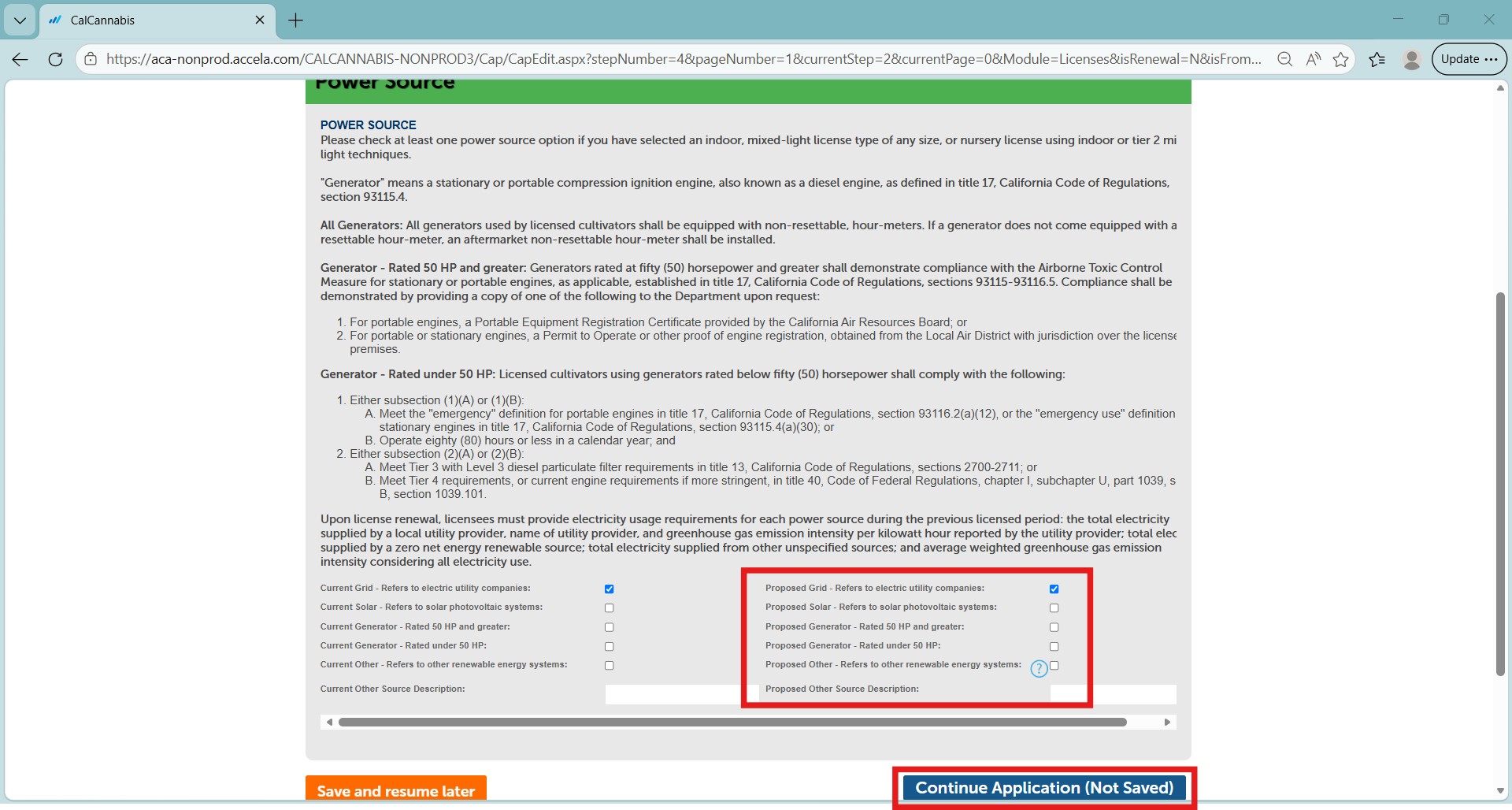
This section is for your Power Source. The current selection(s) are repeated on the right side of the screen. Make any changes by selecting or deselecting the appropriate checkboxes on the right.
Select Continue Application to proceed to the next page.
Water supply source
This section identifies your source of water supply. This is the same information recorded on your current license. Here, you can edit, add, and delete rows.
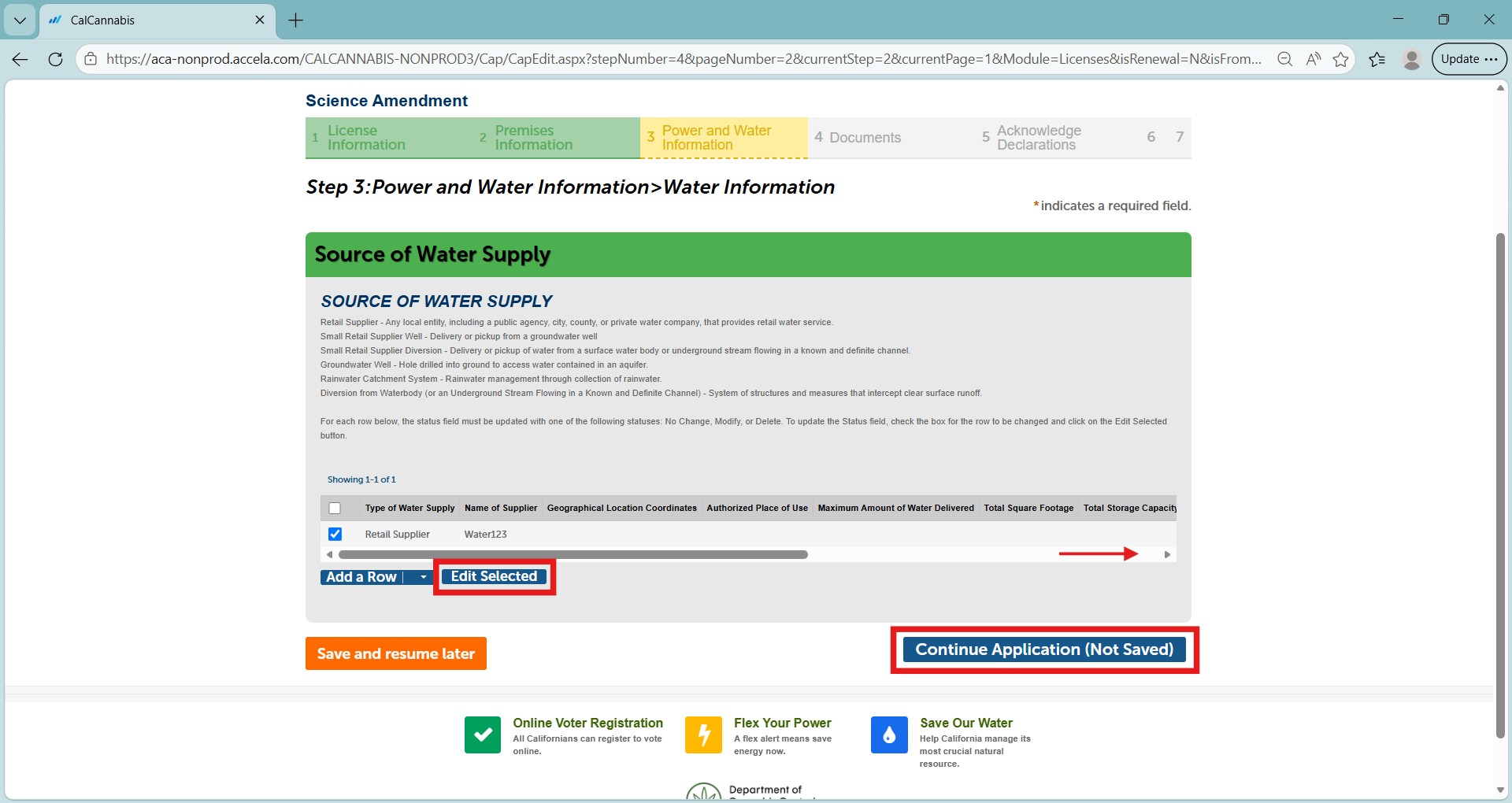
To edit, select the checkbox next to one of your sources and select Edit Selected.
You can also select Actions and Edit from the row you would like to change, just pull the slider to the right.
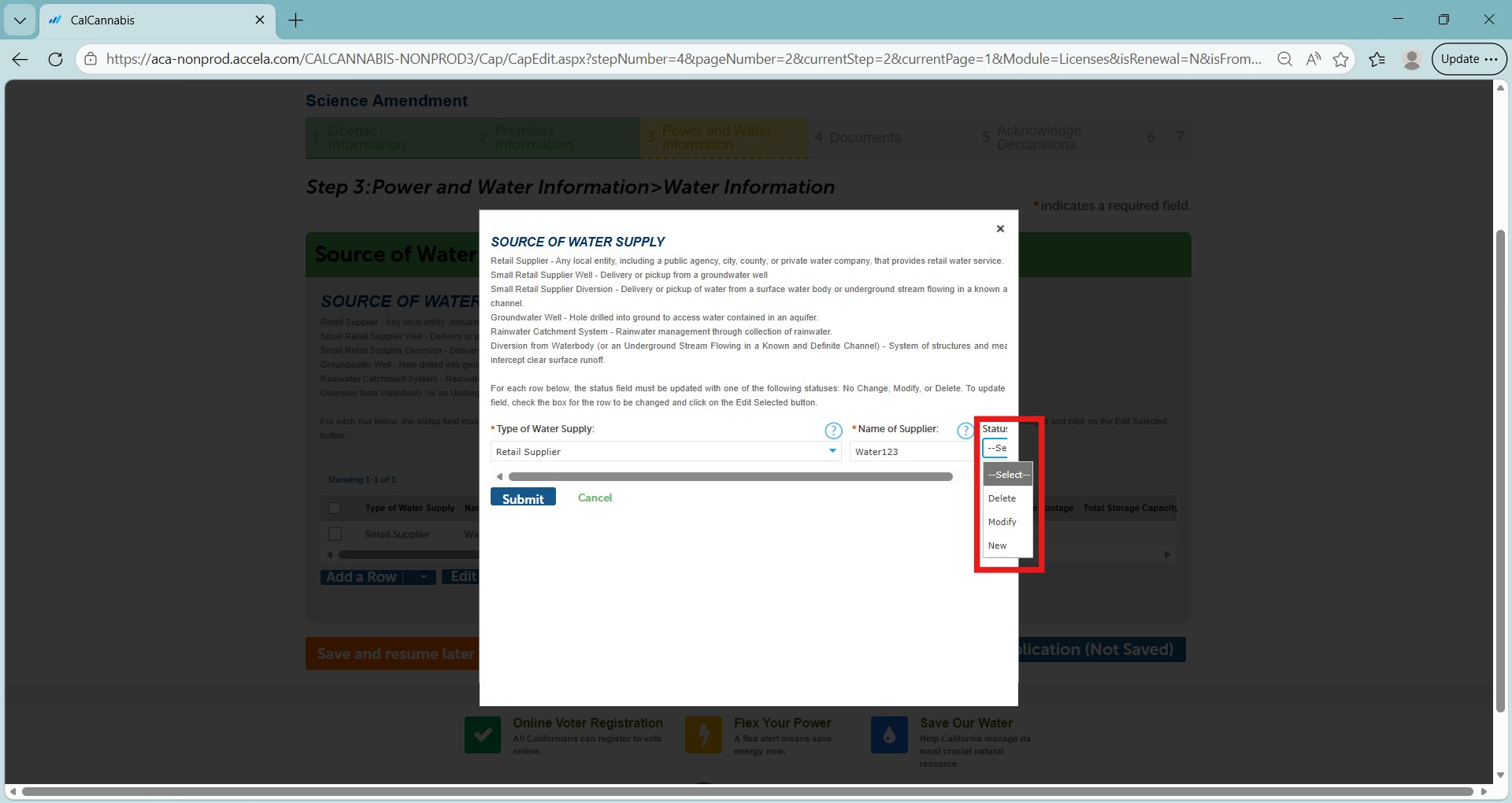
A new window will open. Select Type of Water Supply from the first drop down list.
The status field must be updated with one of the following statuses: Delete, Modify, or New.
Required fields by source type
Retail Supplier
- Name of supplier
Groundwater Well
- Geographic location coordinates
- Maximum amount of water diverted
Rainwater Catchment System
- Geographic location coordinates
- Total square footage
- Total storage capacity
- Description
Small Retail Water Supplier
If the source of water is a diversion:
- Name of supplier
- Geographic location coordinates
- Authorized place of use
- Maximum amount of water delivered in gallons to the commercial cannabis business in any year
- Water source
If the source of water is a well:
- Name of supplier
- Geographic location coordinates
- Maximum amount of water delivered in gallons to the commercial cannabis business in any year
Adding a new water supply source
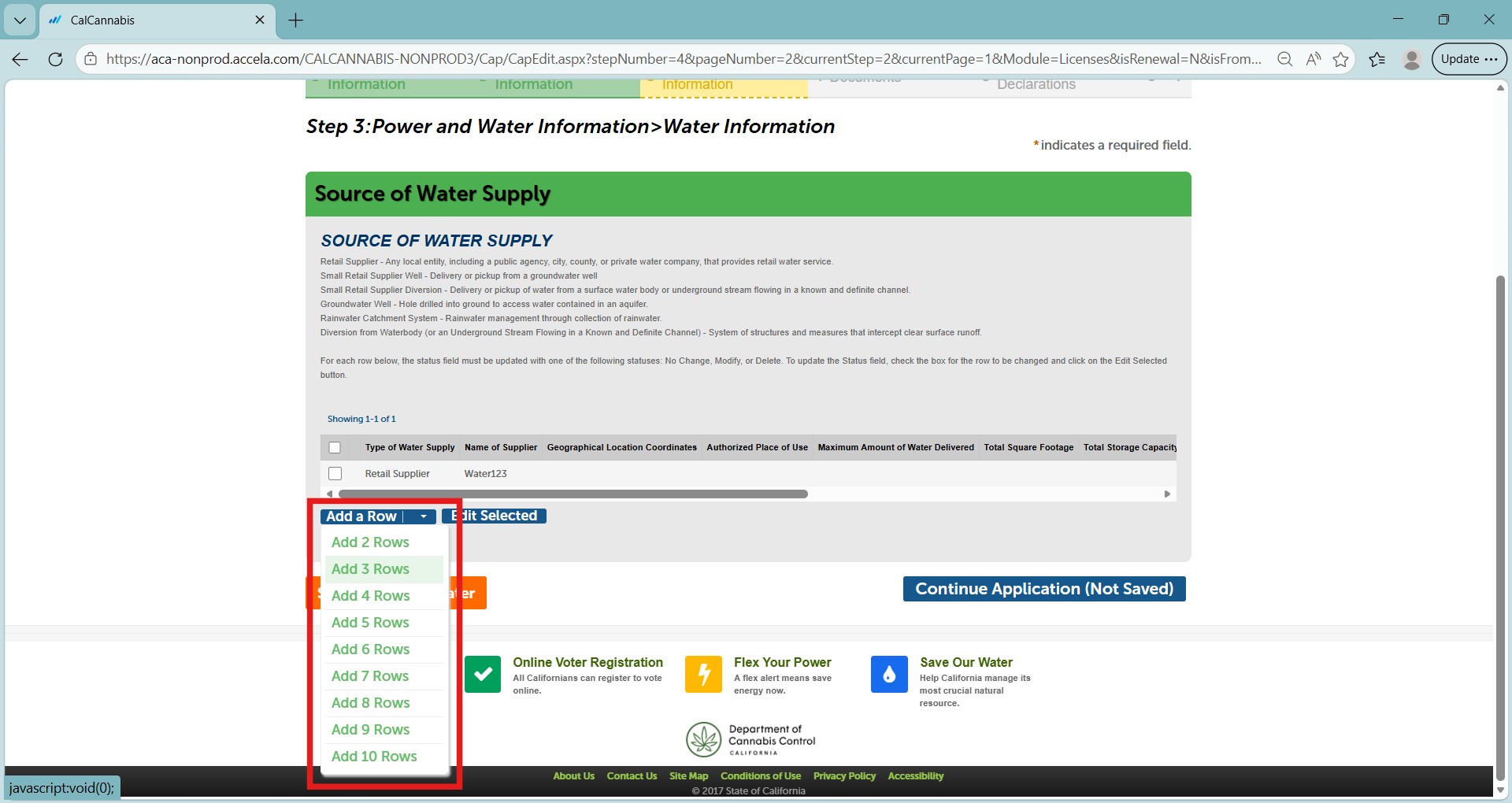
To add a new source of water supply, select Add a Row. You can add up to 10 Rows at a time.
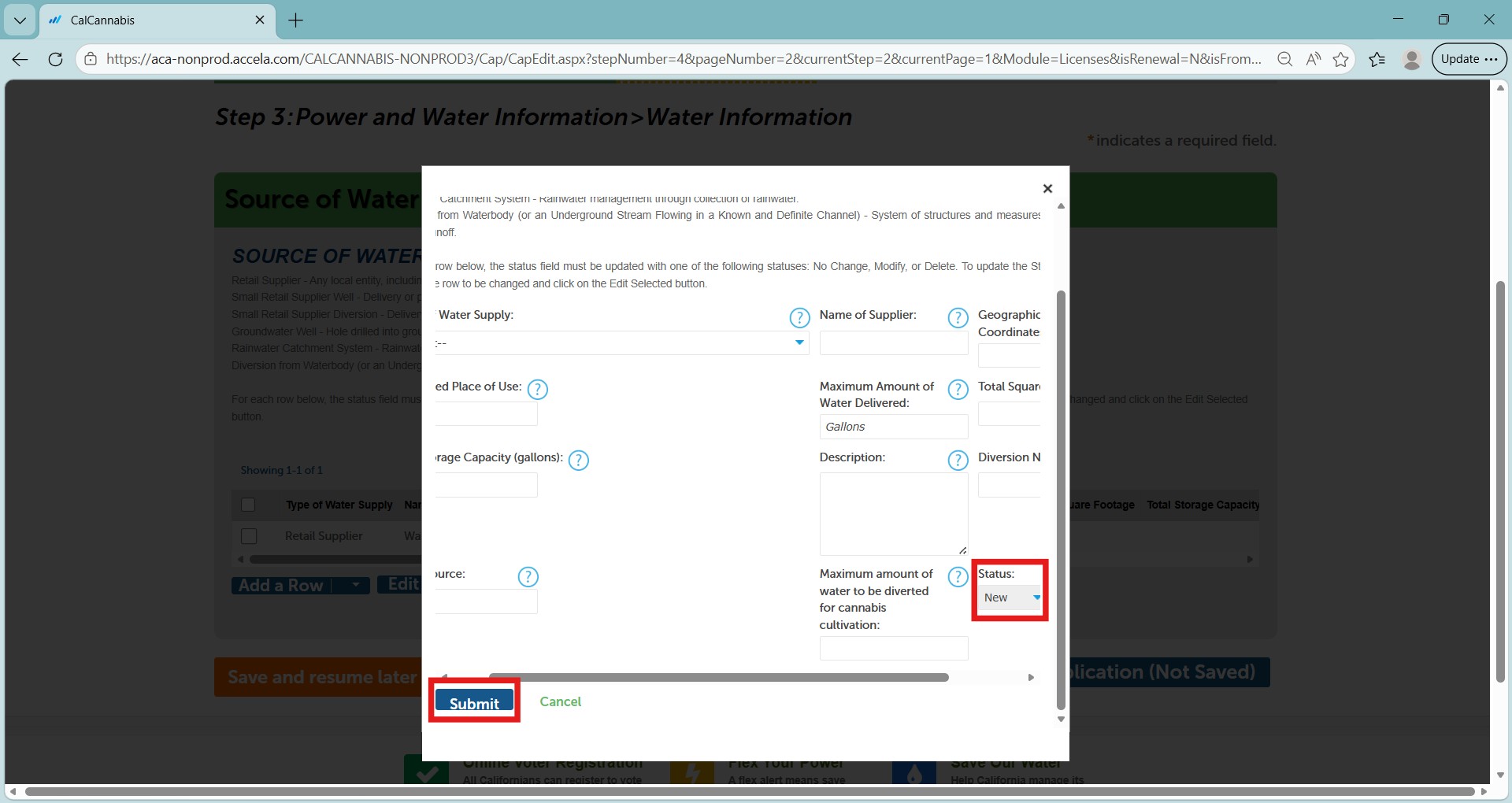
A new window will open, allowing you to add required information. Refer to the previous section to complete the required fields for each new source. The status field will automatically select New, and the New Status box will be checked.
Select Submit to close the form after making any required changes.
Select Continue Application to proceed.
Continue to next article
-
Science amendments: Documents and declarations
This webpage provides a comprehensive guide on submitting documents as part of the science amendment process. It covers essential aspects of document submission, including how to properly attach documents, make necessary declarations, and access related resources for a smooth and compliant submission process. Document submission This step displays a detailed list of documents. There are…