
Last reviewed: August 3, 2026
This example has a deficiency applied in one area of the main application.
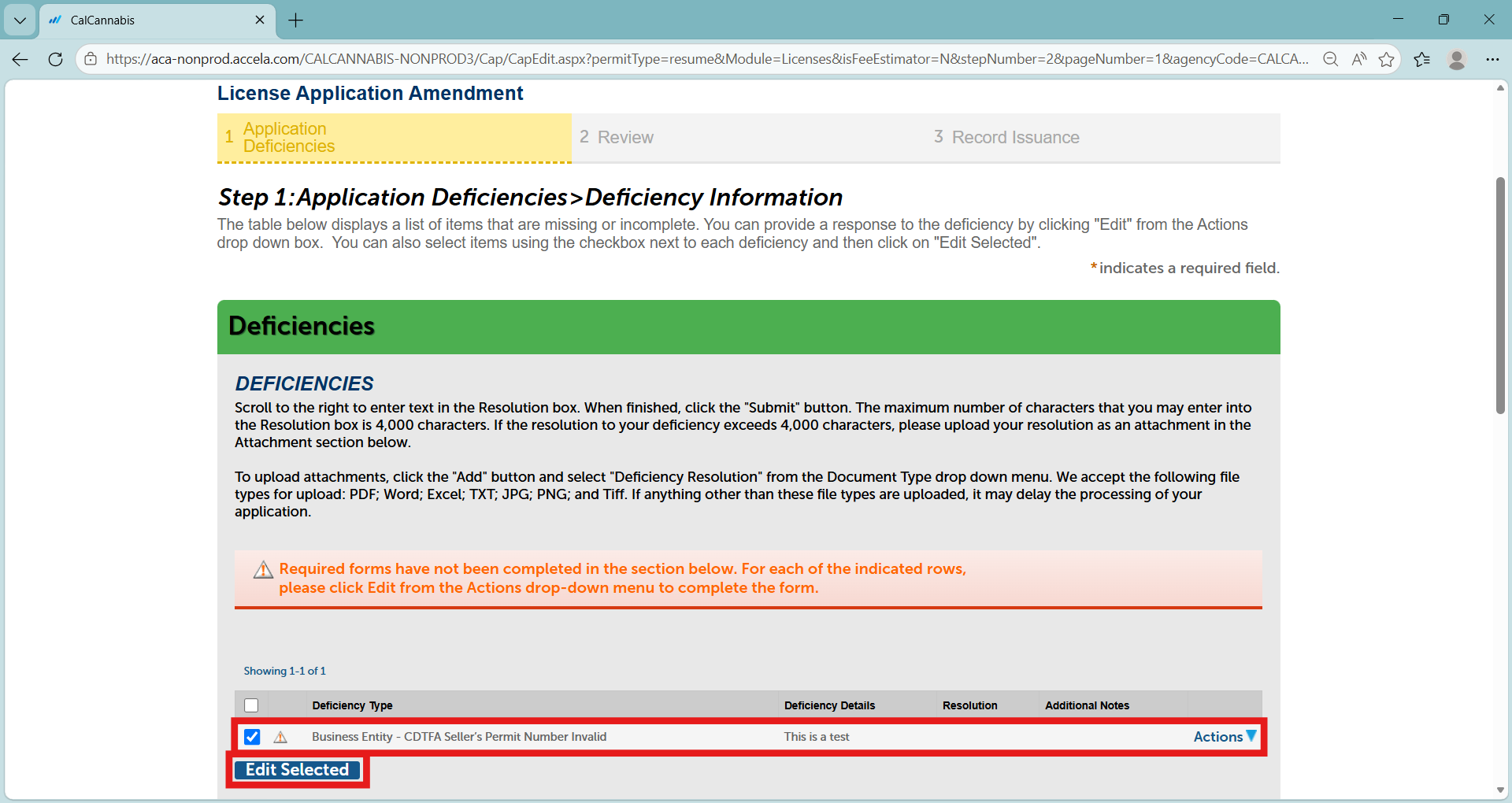
Begin by selecting the deficiency – the Seller’s Permit Number was invalid.
Click Edit Selected.
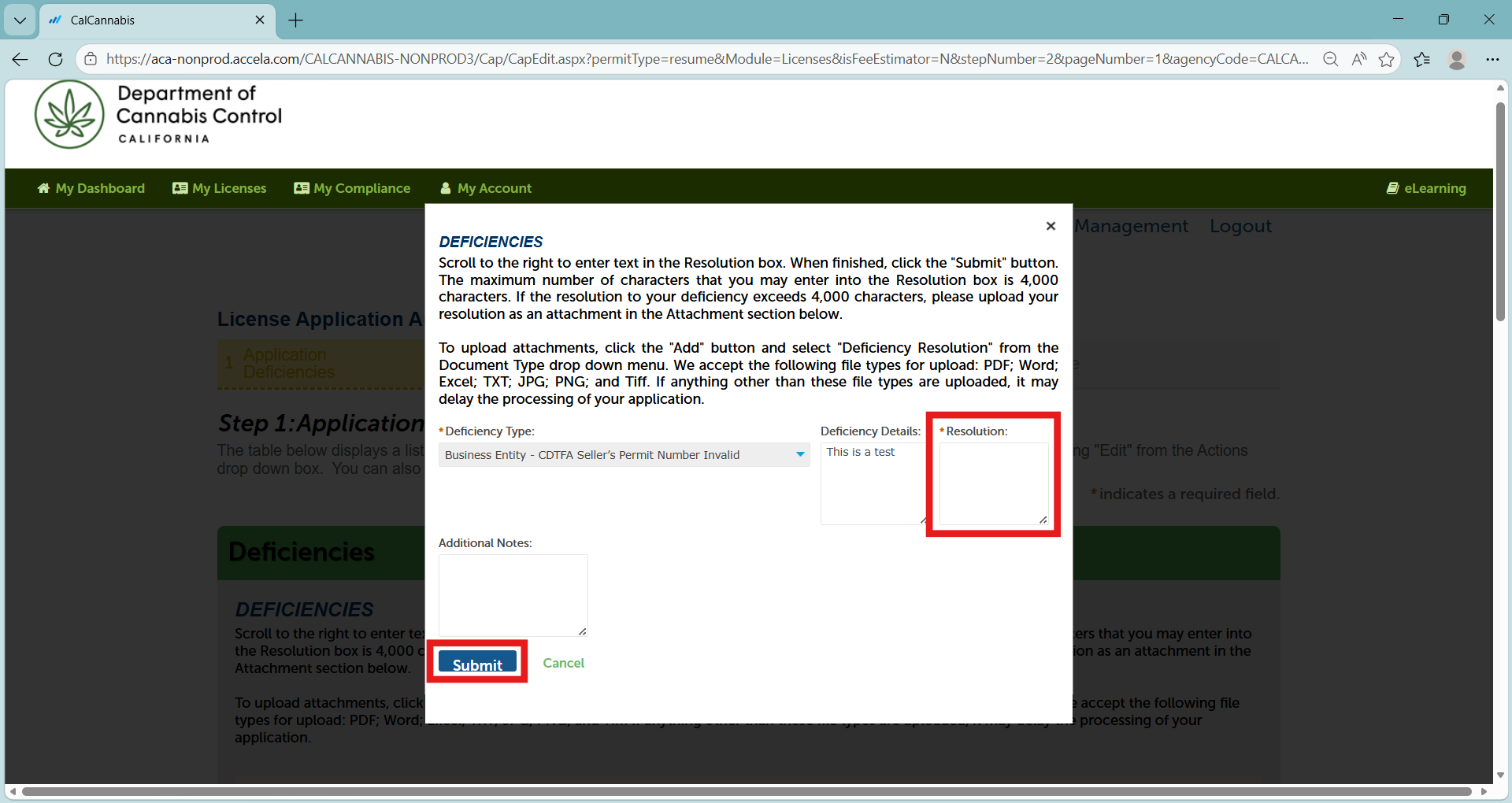
A pop-up window opens for you to respond to the deficiency.
Enter your response in the Resolution text box, for example, “The valid CDTFA Seller’s Permit Number is x.”
The Resolution text box accepts up to 4,000 characters. If your response exceeds that, you can put it in a document to upload.
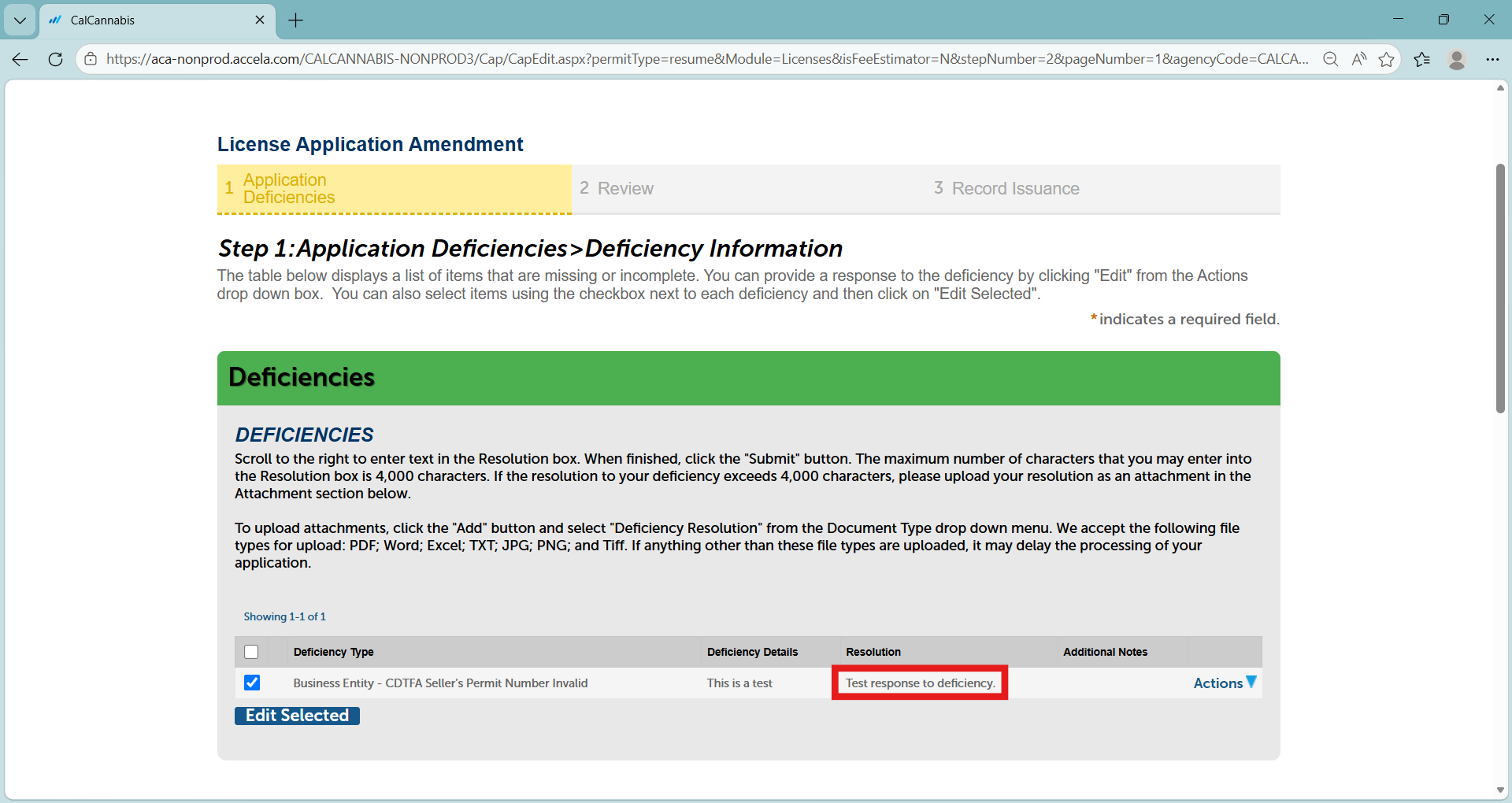
Click Submit to save your response and close the pop-up window.
Your response now shows in the Deficiencies list. If you receive multiple deficiencies, select and respond to each one.
Note: You have not yet submitted the deficiency record to the DCC. You may be required to upload a new document to satisfy the deficiency, as demonstrated in the following guide.
Continue to next article
-
Deficiencies: Attaching documents
Attaching documents Scroll down to the “Attachment” section. Click Add to begin attaching a document. The File Upload pop-up window displays. Click Add here to find a file to upload. Select the file and click Open. In the “Attachment” section you will see the document you uploaded. Label it by selecting from the “Type” dropdown…