
Last reviewed: August 3, 2026
This guide provides step‑by‑step instructions for accessing your manufacturing renewal application. It explains how to log in, navigate the renewal portal, view your renewal status, manage required documents, and ensure all information is current before submitting your renewal.
To begin, log in to your account through the Department’s licensing portal.
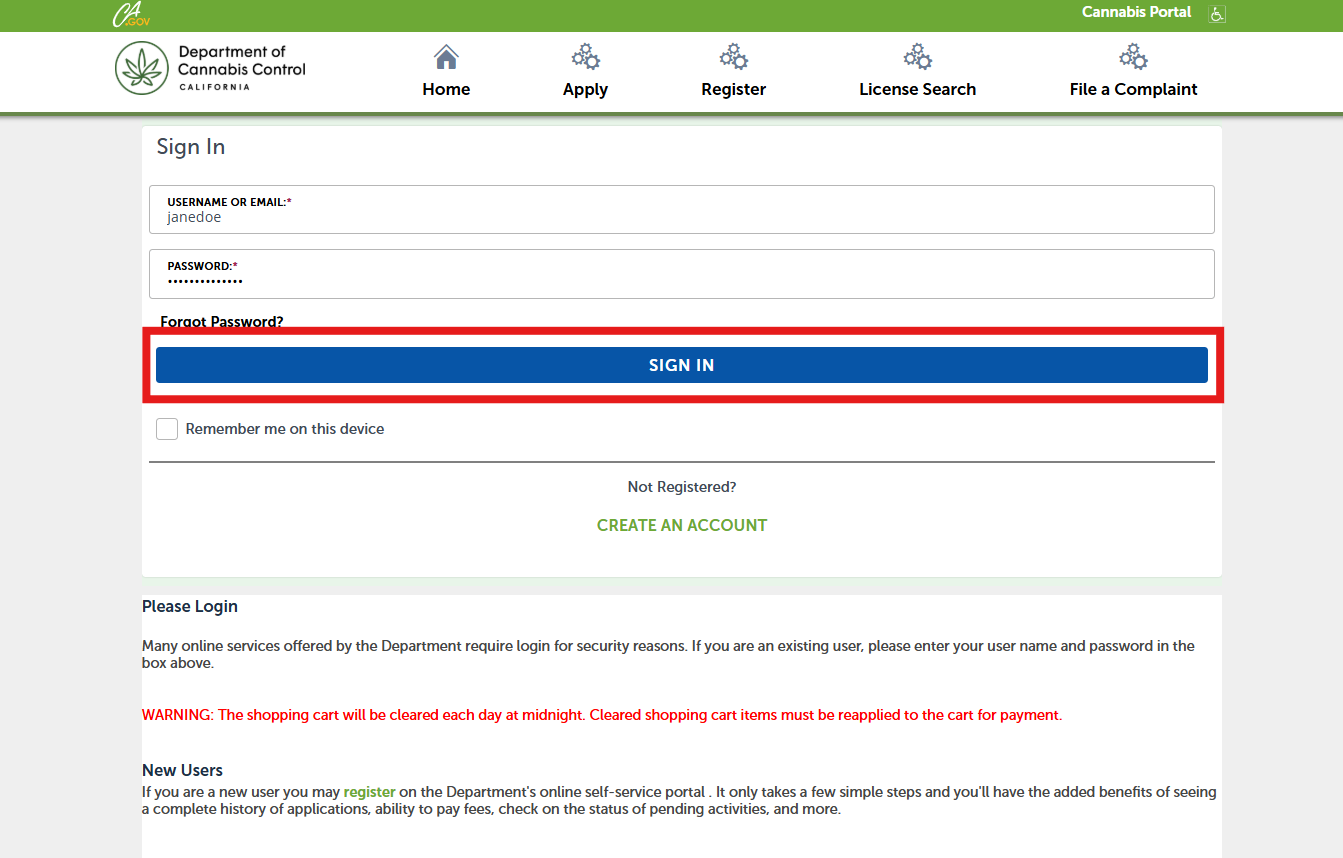
Type in your Username or Email address and Password then click Sign In.
You can renew your license no earlier than 60 calendar days before the expiration of the license or up to 30 calendar days after the license expires.
Locating your license
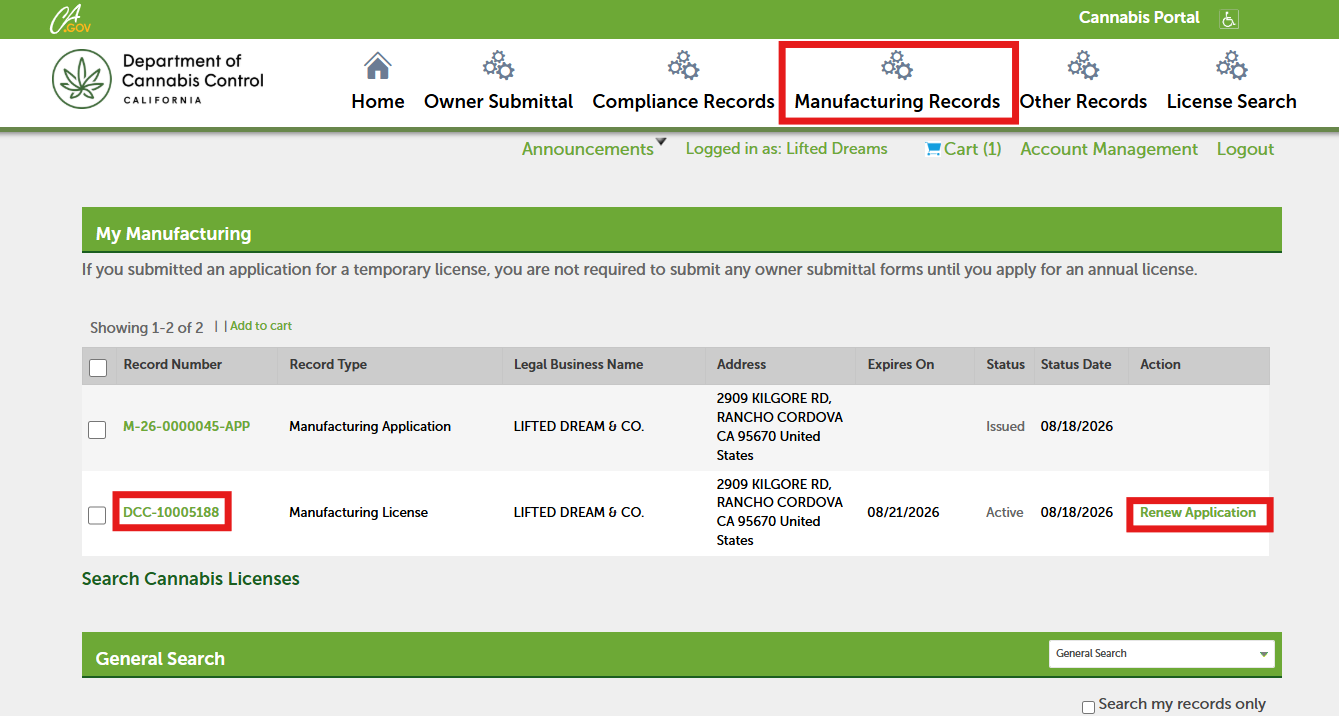
Next, open the Other Records page and locate your manufacturing license. Select Renew Application to begin the renewal. You can also open the license by selecting the Record Number link.
Expiration dates
Be sure to renew your license before the expiration date shown in the Expires On column. If the license is not renewed by the expiration date, all contacts will receive an email stating that you can still renew after paying a late‑fee penalty equal to 50% of your renewal fee.
Renewing from the record details screen
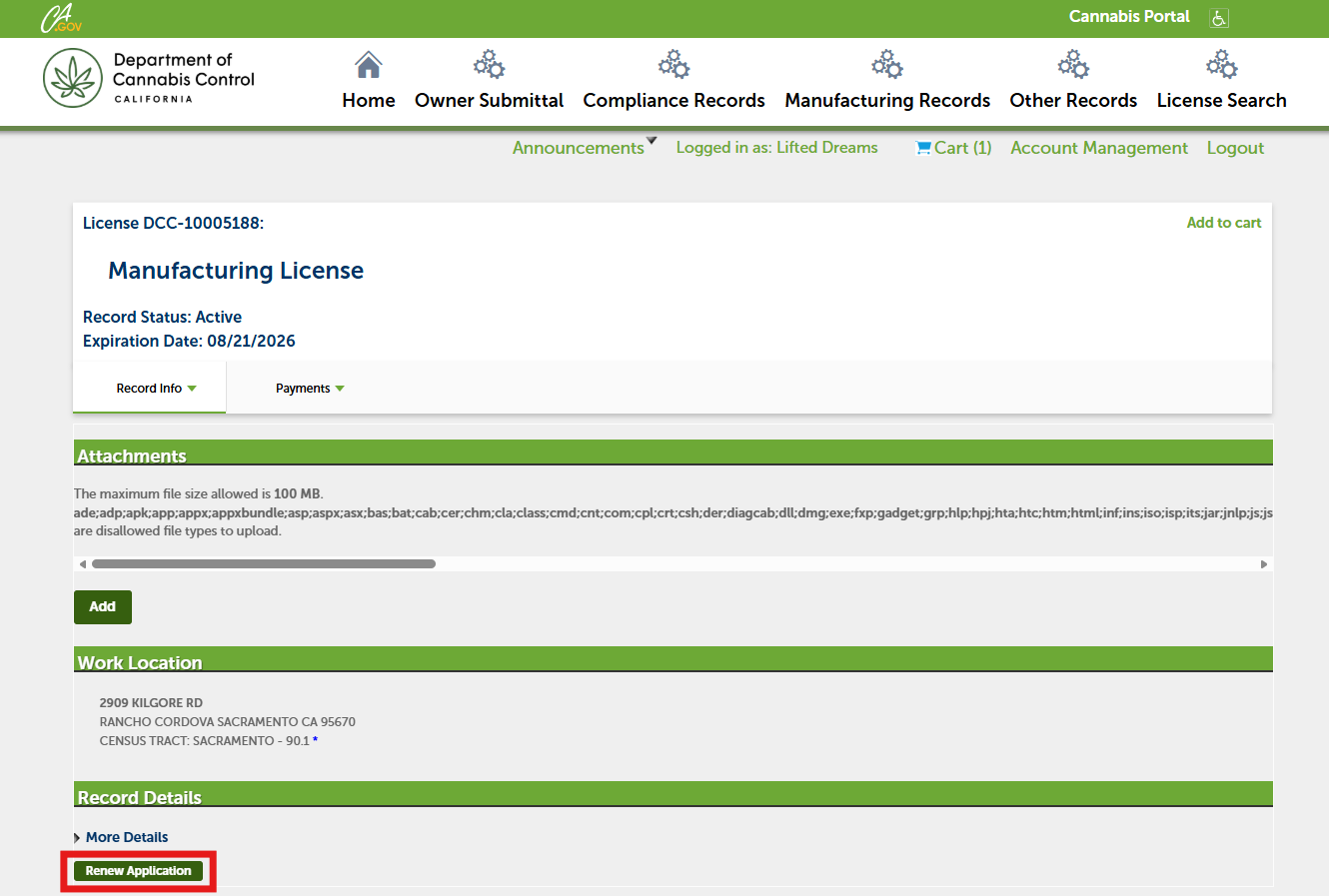
If you opened your license record by selecting the Record Number link, you will see another way to begin your renewal. Select Renew Application at the bottom of the screen.
Continue to next article
-
Manufacturing renewal: Owners and Financial Interest Holders
Before beginning your manufacturing renewal, verify that your license ownership and financial interest information is accurate. Review the List of Owners and Entity Ownership to ensure both are current. You must also check the Financial Interest Non‑Owners and Entity Financial Interests sections to confirm that all entries are correct. If any changes are…