
Last reviewed: August 3, 2026
Before completing your CLEaR renewal, review all the information you have entered to confirm its accuracy. Read the Important Notice section at the bottom of the page, then continue to the payment step. You may pay your application fee online with a credit or debit card, by mailing a physical check, or by scheduling an appointment to pay in person with cash at one of the Department’s office locations. After your payment is processed, you can print your license certificate.
Final review
Please review all information for accuracy. Click Edit if you need to make any changes.
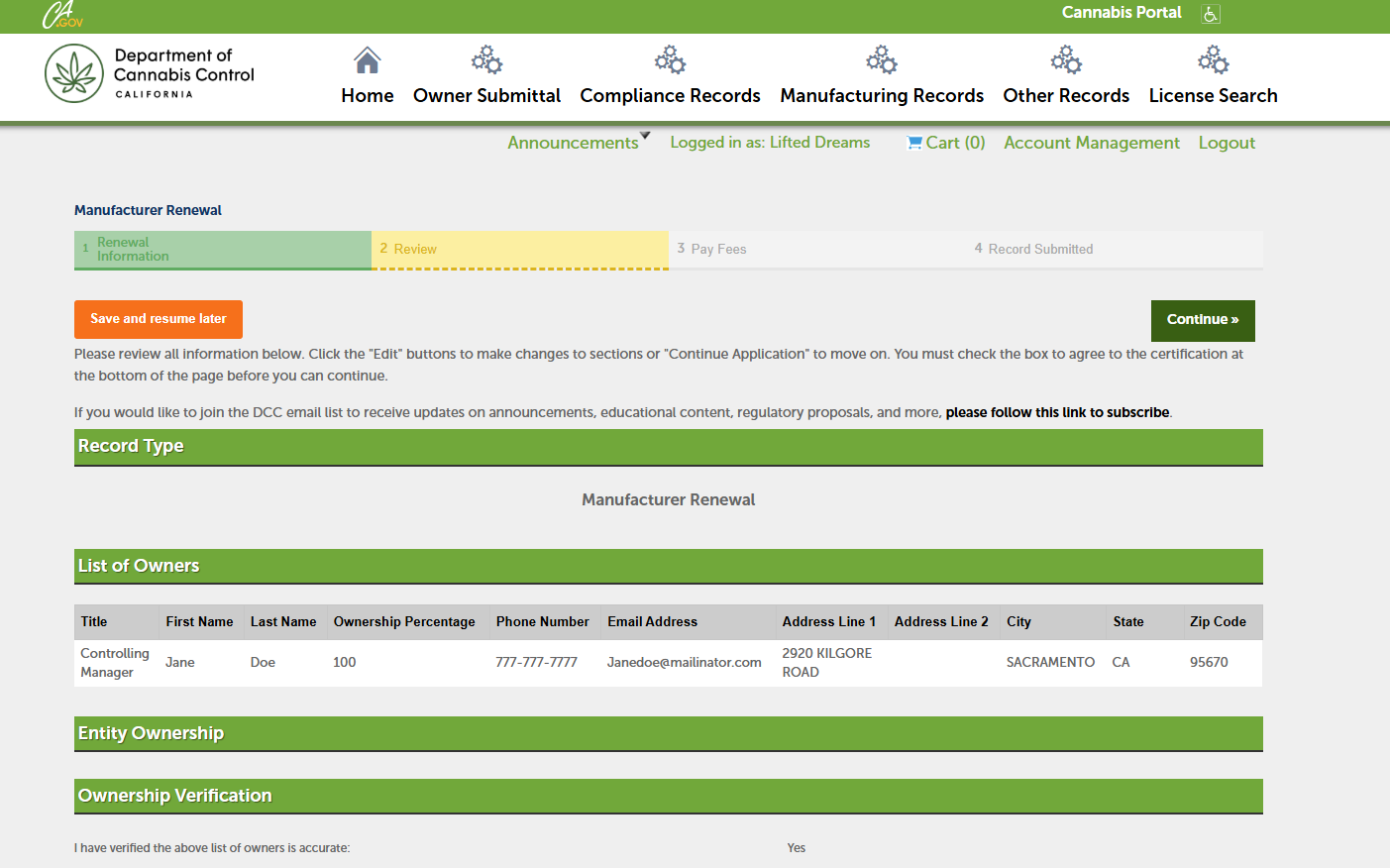
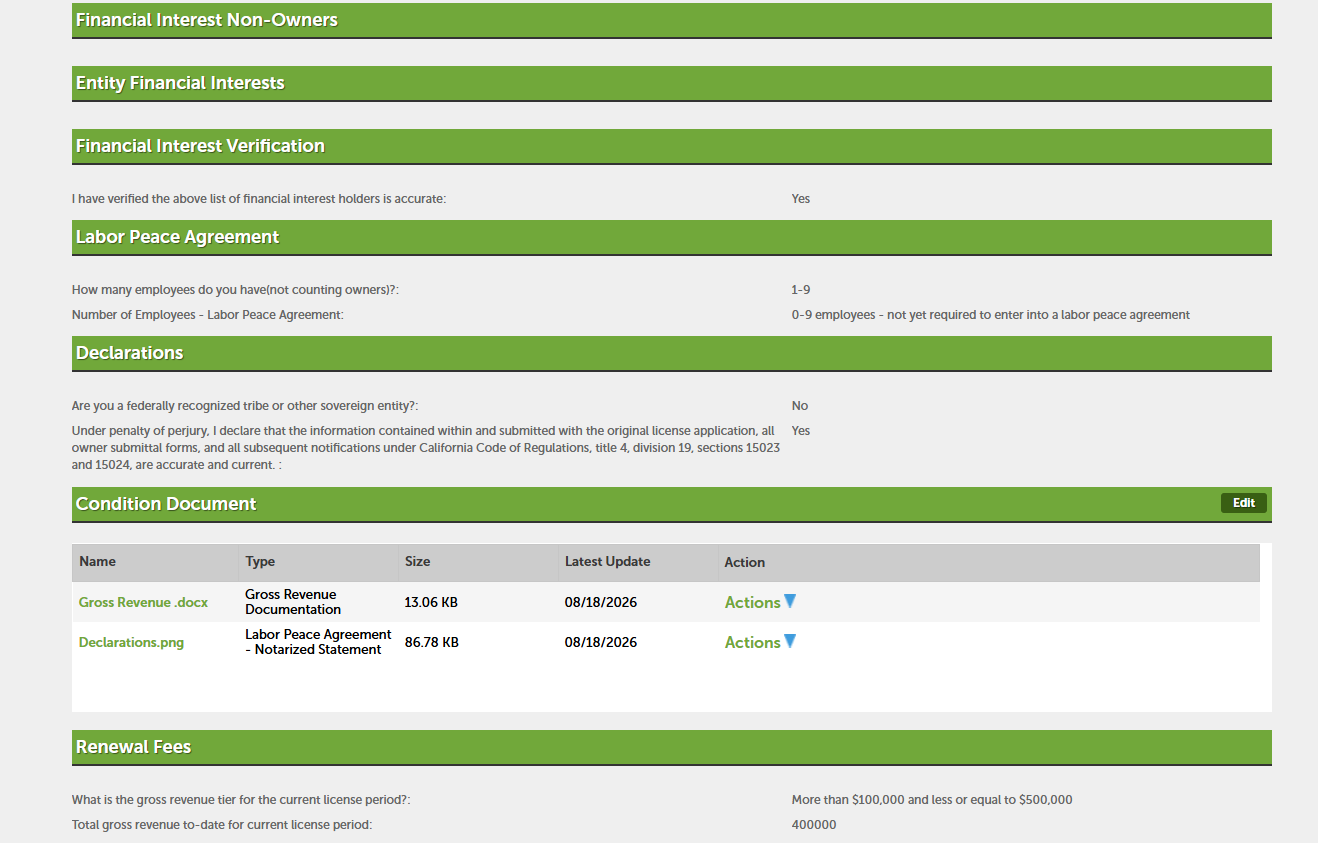
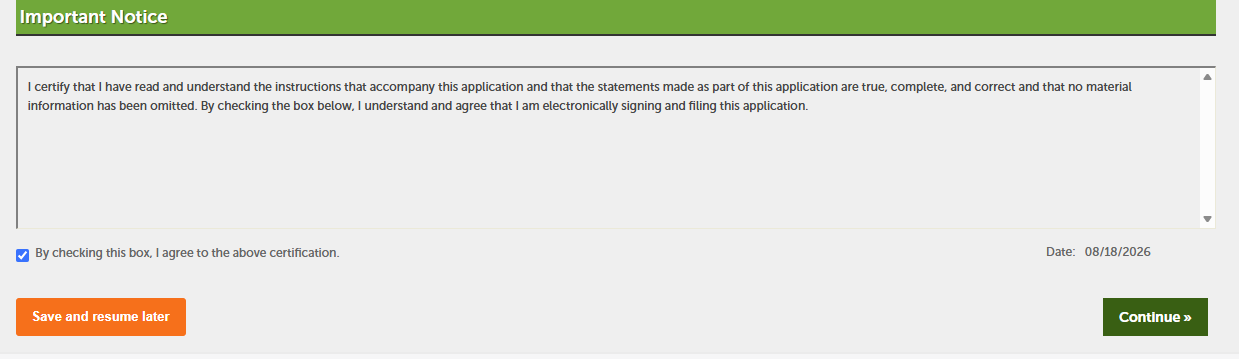
Read the Important Notice
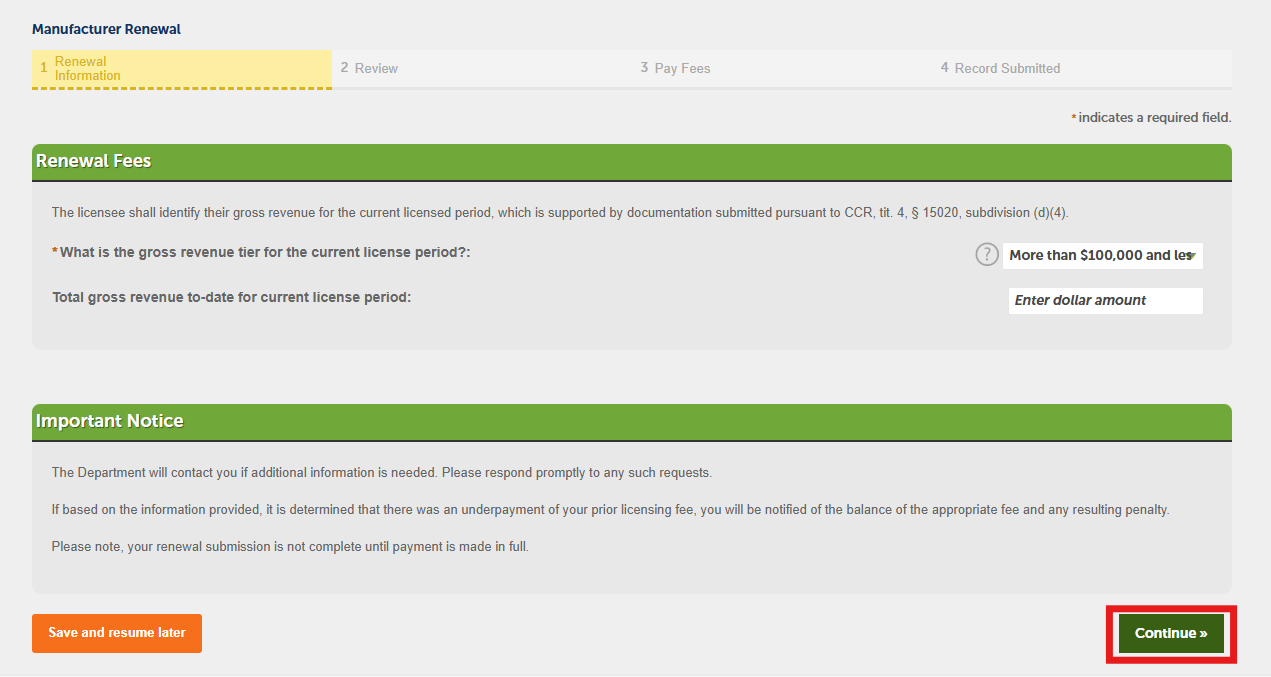
Read the Important Notice section at the bottom of the page, then select Continue.
Paying the application fees
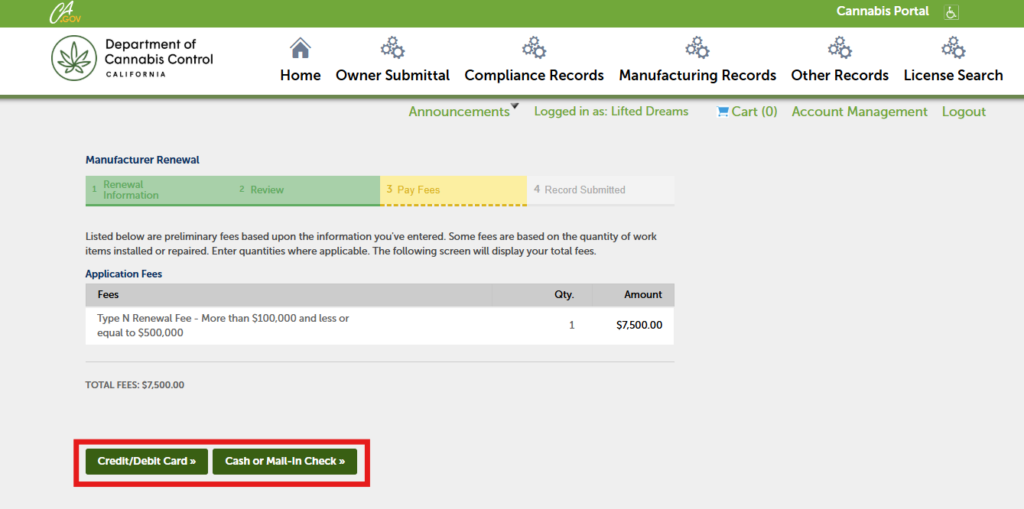
The next step is to pay the application fee for the license. You may pay online using a credit or debit card, mail a physical check to the Department’s address, or schedule an appointment to pay in person with cash at one of the Department’s office locations. For questions Visit our payments page or email us at payments@cannabis.ca.gov.
Fee deferrals
Note: If you are requesting a fee deferral, select the Cash payment option. After submitting your renewal, email equity@cannabis.ca.gov to discuss fee-deferral options. For general assistance, email licensing@cannabis.ca.gov.
Paying by cash or check
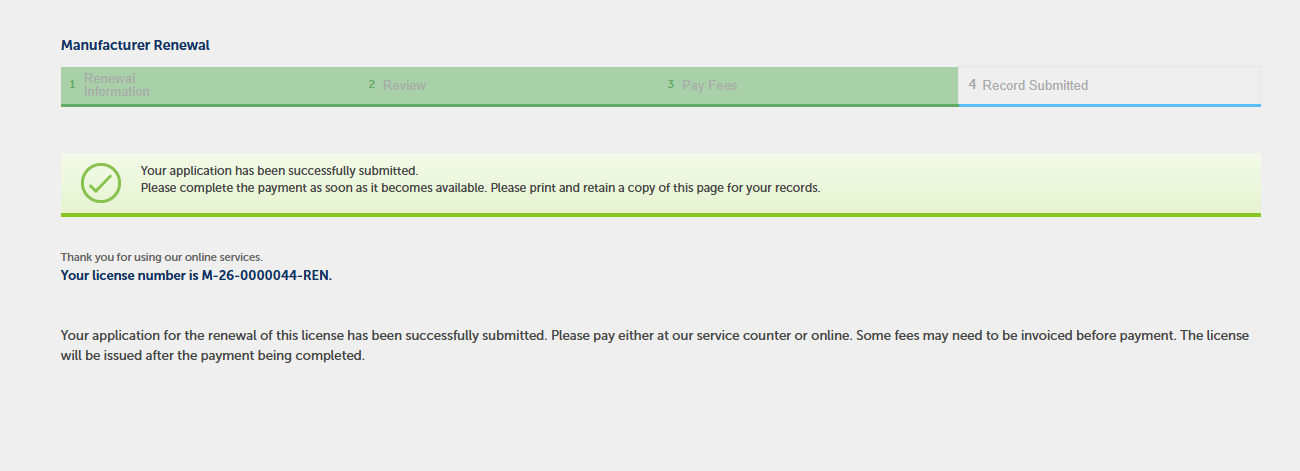
If you choose the Cash or Mail‑In Check option, the system will display a confirmation message and send you an email reminding you to submit your payment.
Using a credit or debit card
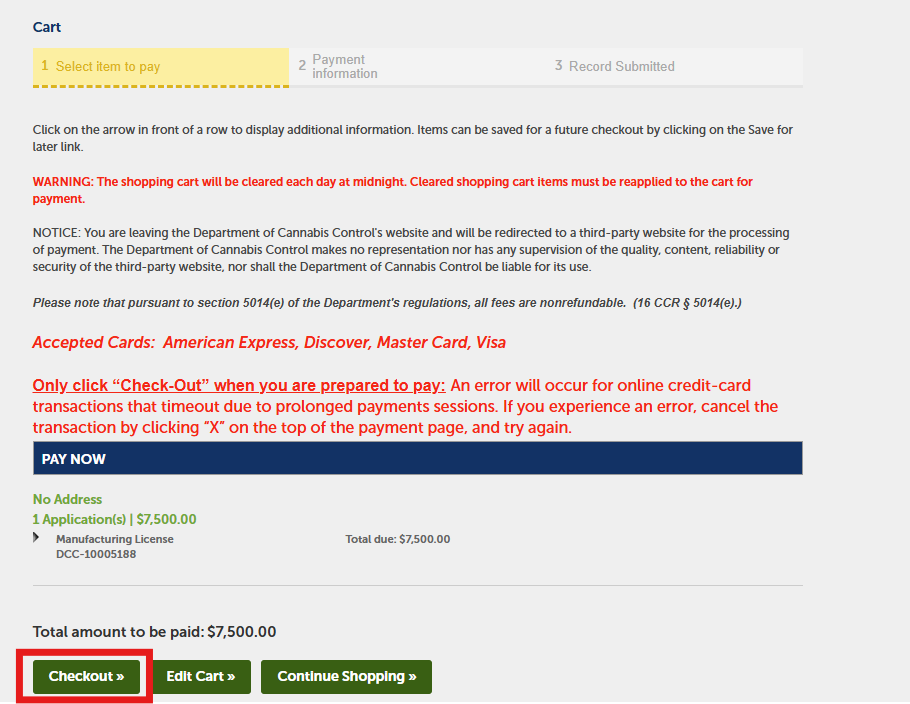
If you choose the Credit/Debit Card option, the Pay Now page will display your application number and the fee you are about to pay. Select Checkout to continue.
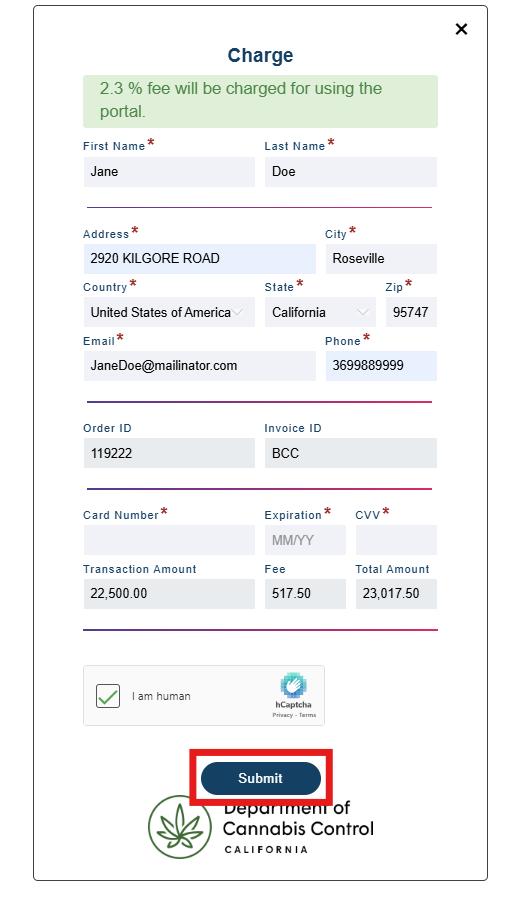
You will be redirected to a third‑party payment page. Enter your billing address and payment information, then select Submit.
Note: A 2.30% fee is charged by the payment processor for credit or debit card transactions.
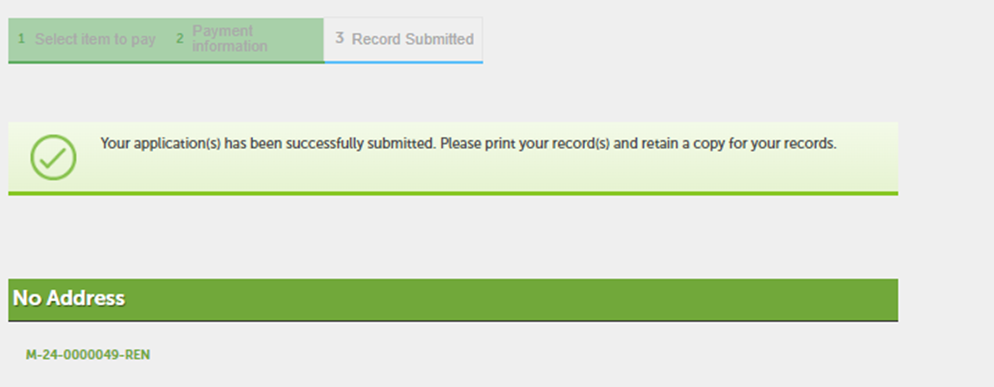
A confirmation message will appear once your payment has been processed.
Viewing your license
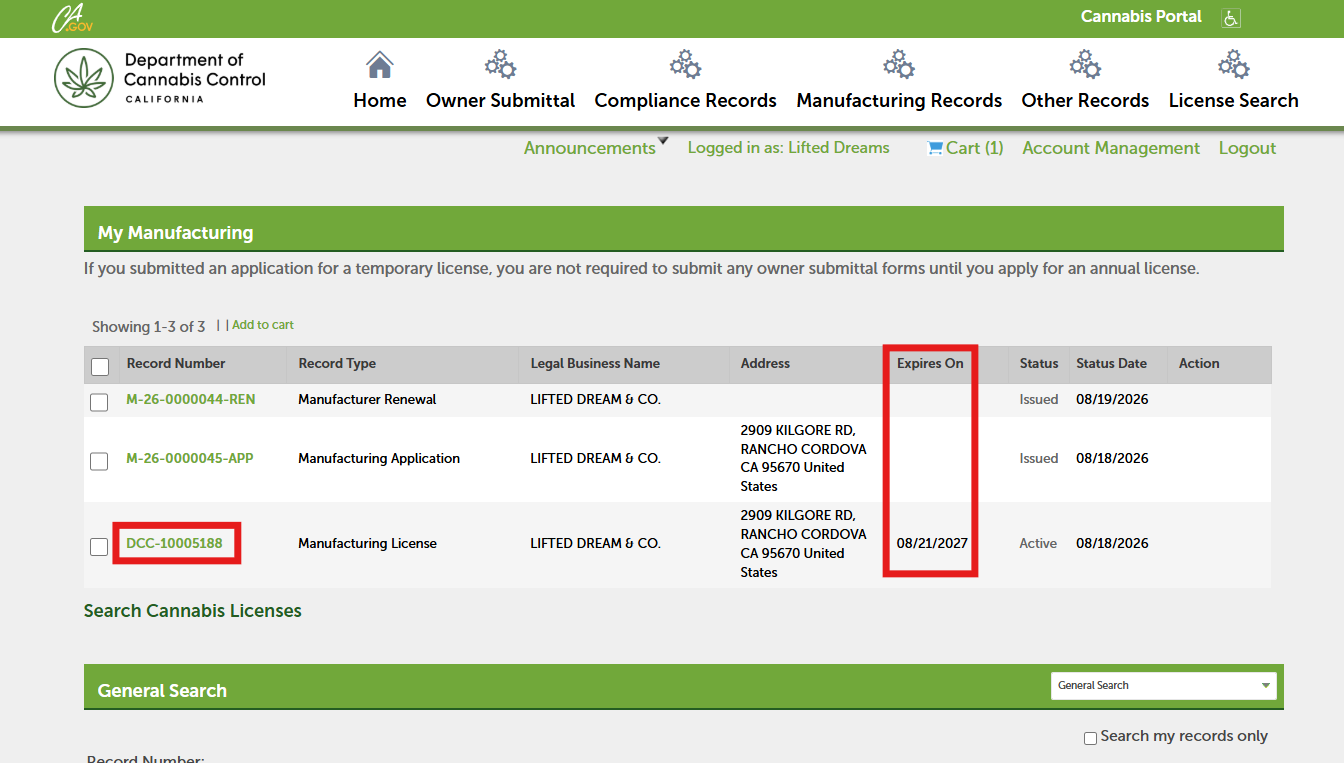
After your payment is processed, and if there are no outstanding issues, your license record will display a new Expires On date showing that your license has been renewed for one year.
Printing your certificate
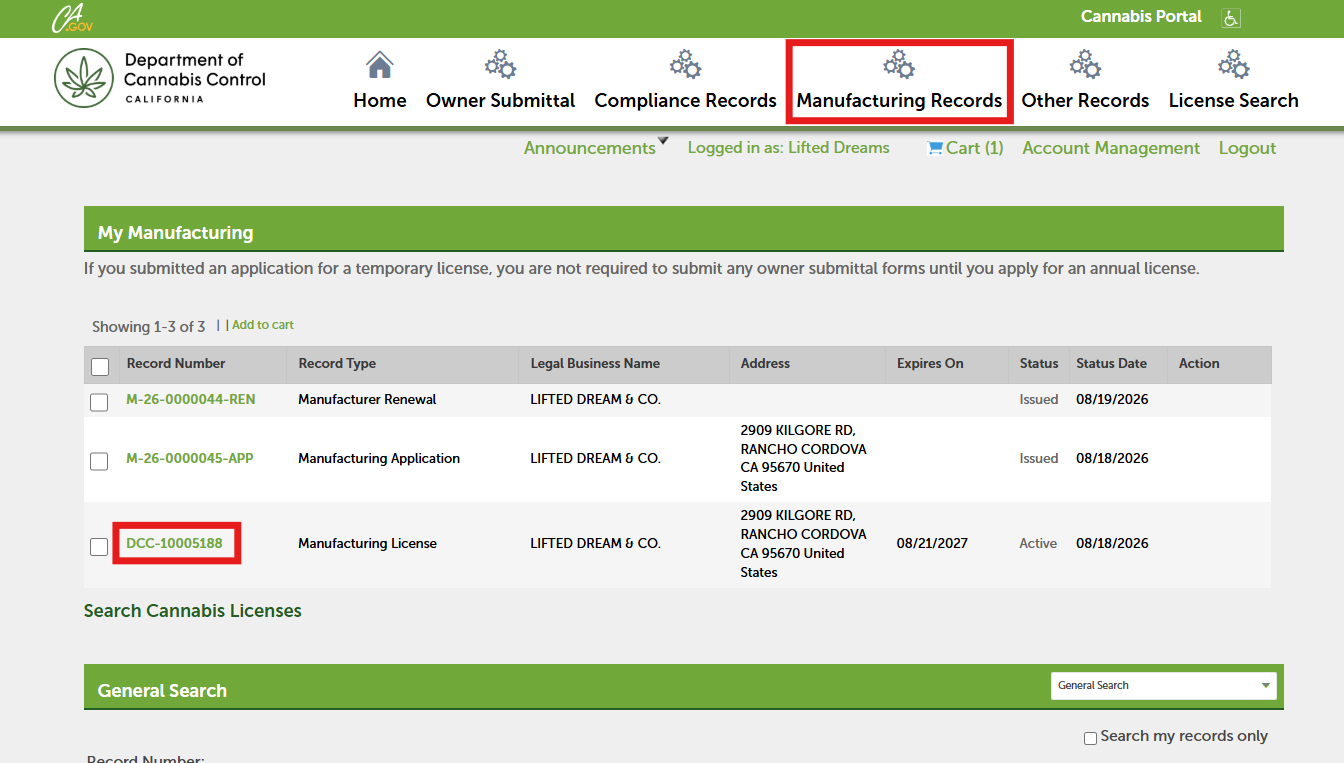
In your portal, open My Records and locate your license number. Select the License Number link to open your license record and print your license.
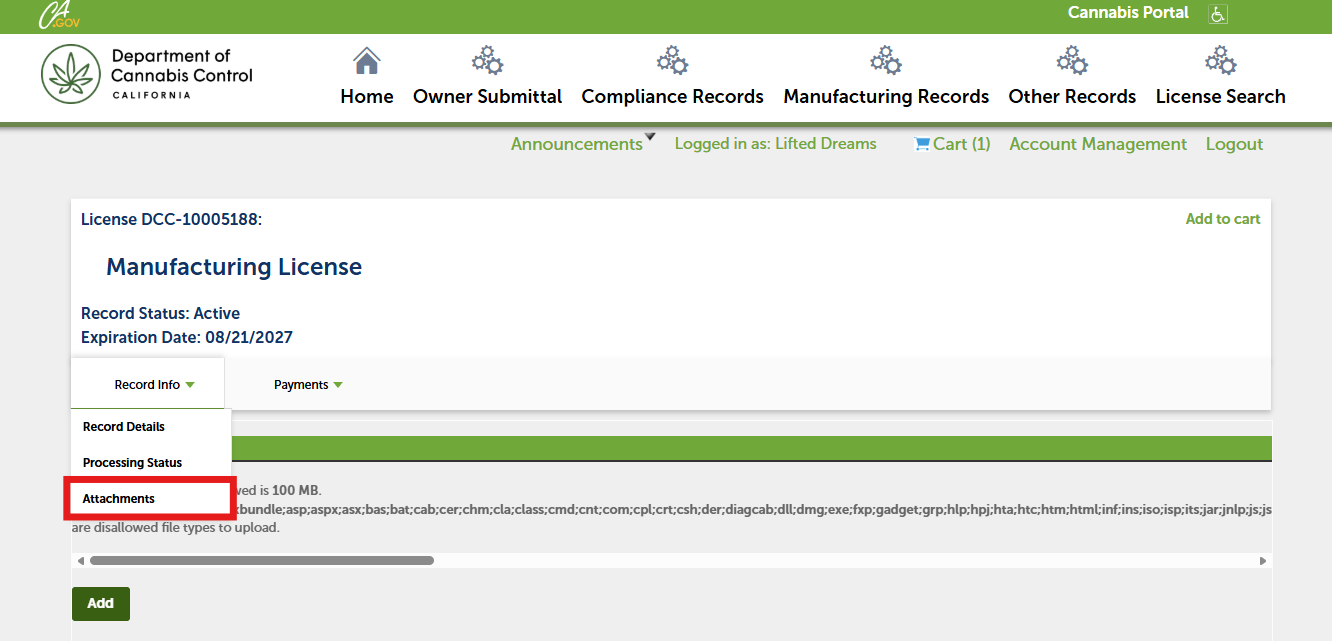
In your license record, open the Record Info dropdown and select Attachments.
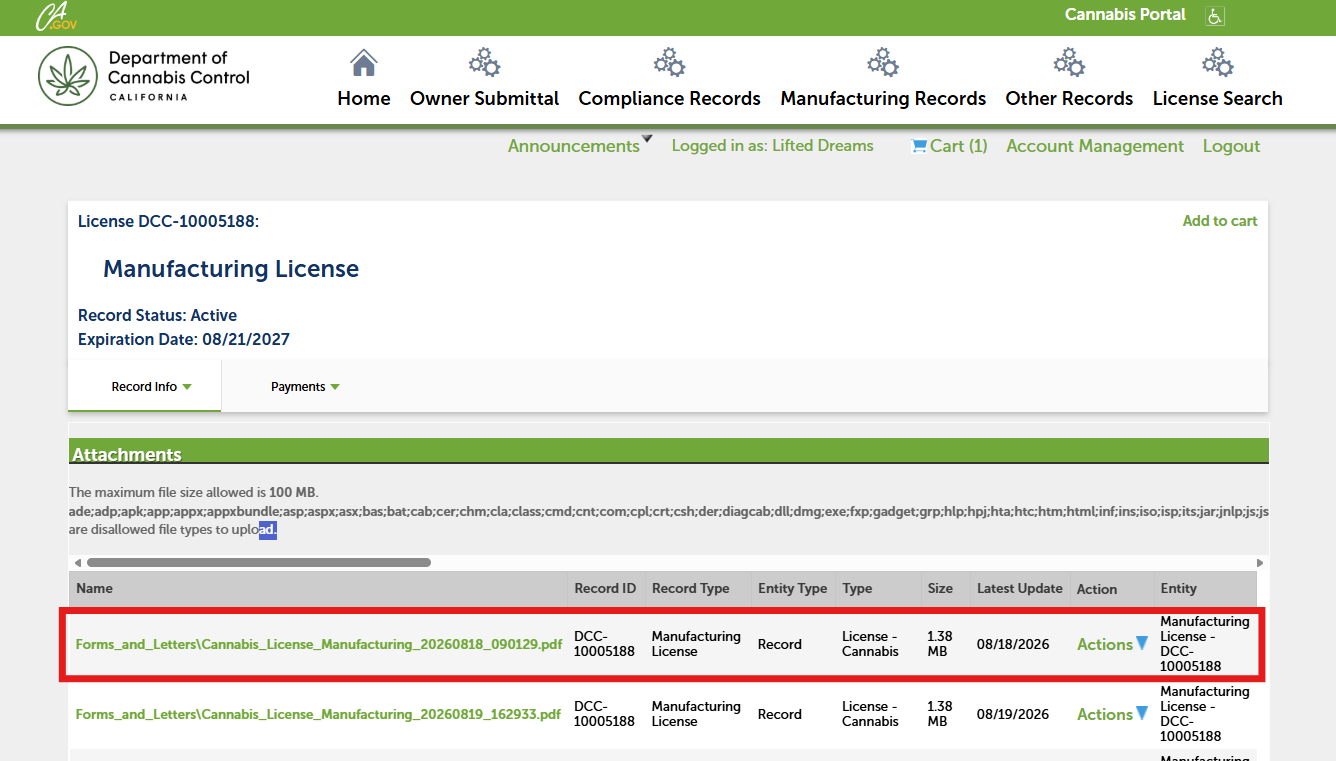
At the top of your Attachments list, your official license certificate will appear. Open the PDF by selecting its title.
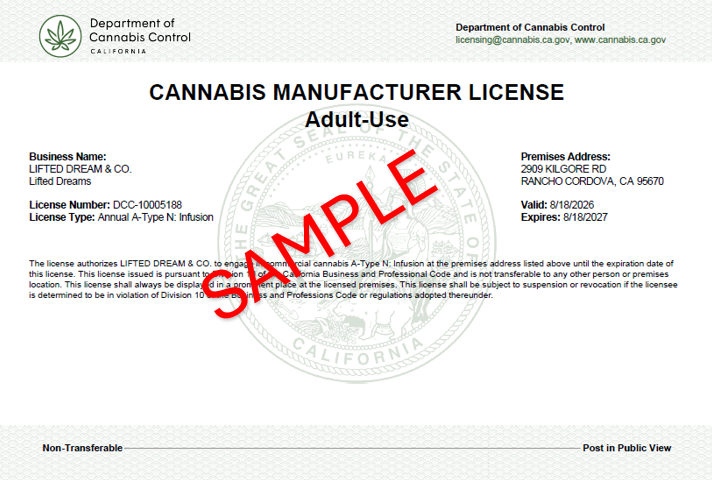
Print your new license certificate and post it in a visible location at your facility.
Contact Us
If you have any questions or concerns about your renewal, contact the Department of Cannabis Control (DCC) by emailing licensing@cannabis.ca.gov or by calling 1‑844‑61‑CA‑DCC (1‑844‑612‑2322).