
Last reviewed: August 3, 2026
This section provides step‑by‑step instructions for completing the required declarations and uploading supporting documents for your CLEaR manufacturing renewal. If you indicated changes to your operational activities earlier in the process, the system will direct you to select your updated activities before continuing. You must upload all required documents, including those that verify your total gross revenue for the current license period and any Labor Peace Agreement documentation. After reviewing and uploading all necessary materials, continue to the next step of your renewal.
Declarations
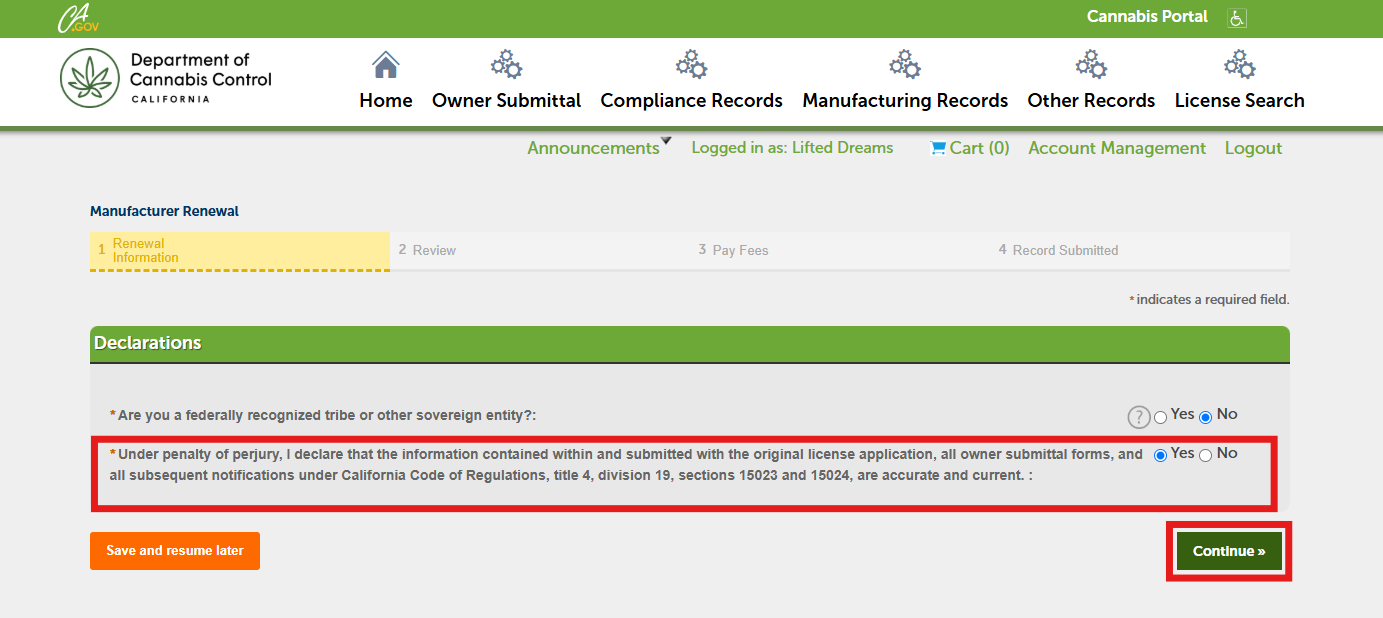
In the Declarations section, select Yes or No, and then click Continue.
If you select No to the under penalty of perjury section, an error message will appear, and you will not be able to continue with the renewal. Please email Licensing@cannabis.ca.gov for assistance.
Documents
The next section requires you to upload documents to support your total gross revenue for the current license period and meet the Labor Peace Agreement documentation requirement. Acceptable gross-revenue documents may include but is not limited to:
- A copy of the licensee’s state tax return
- A detailed Profit and Loss statement (P&L) showing gross revenue for the current license period
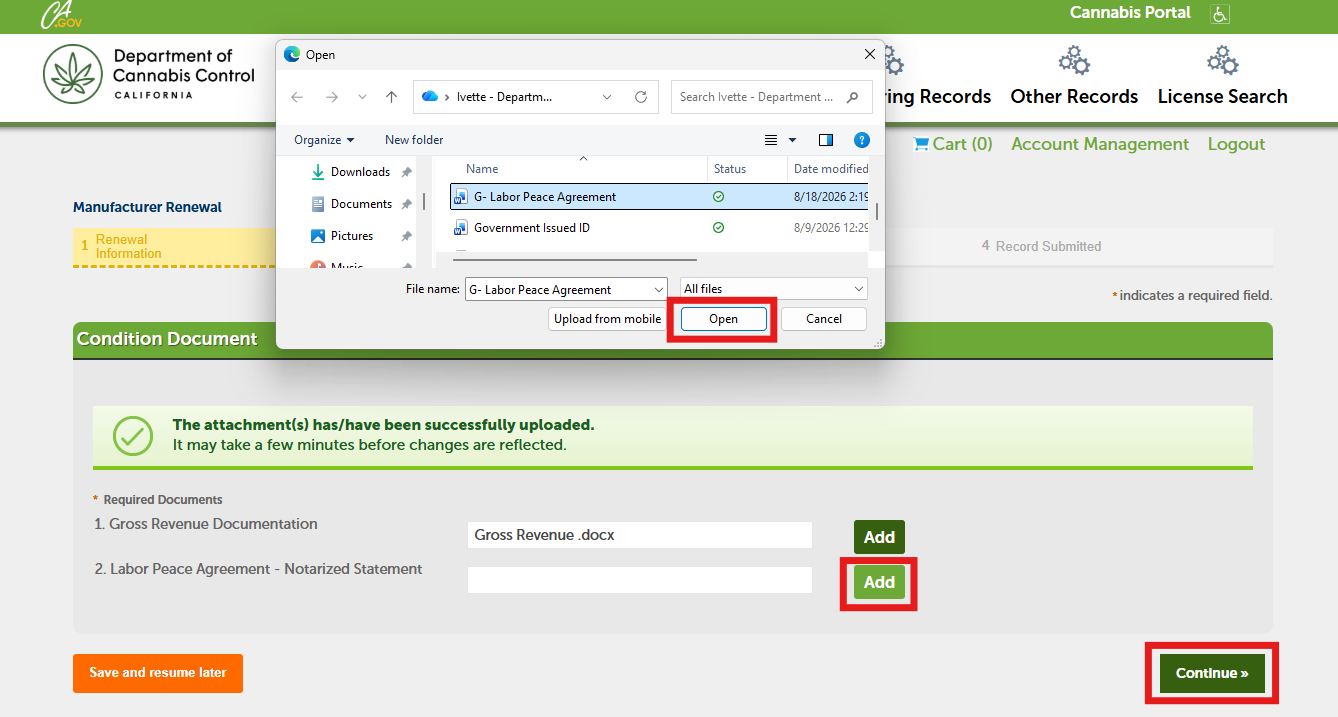
Click the Add button for each document in the list.
Upload all required documents, then click Continue.
Continue to next article
-
Manufacturing renewal: Review, payments, and printing your certificate
Before completing your CLEaR renewal, review all the information you have entered to confirm its accuracy. Read the Important Notice section at the bottom of the page, then continue to the payment step. You may pay your application fee online with a credit or debit card, by mailing a physical check, or by scheduling an…