
Last reviewed: August 3, 2026
Unlock the full potential of your new account by learning how to log in, navigate the dashboard, view your licenses, manage your account settings, and take advantage of our eLearning resources.
Logging into your new account
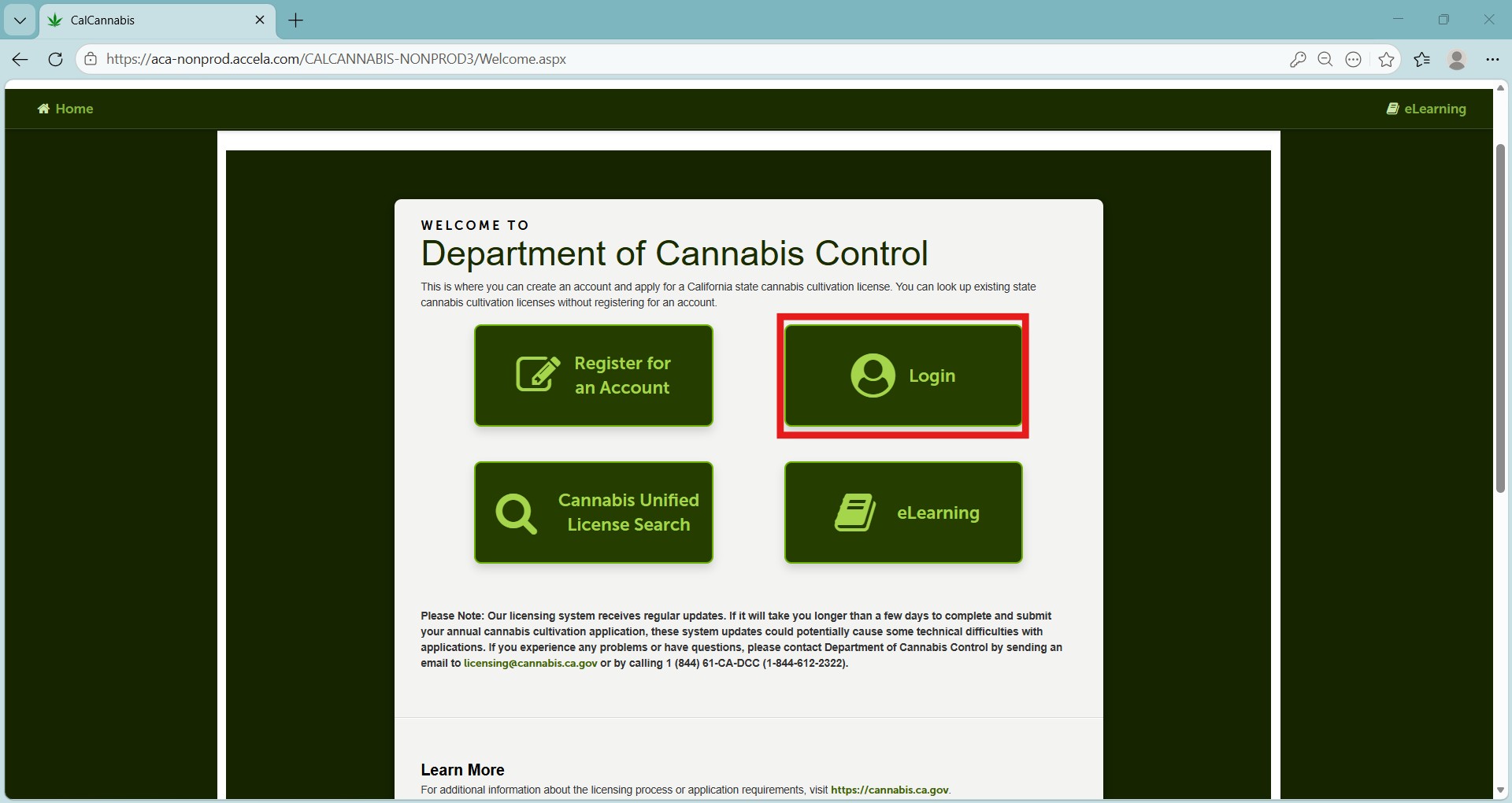
Click Login on the home page.
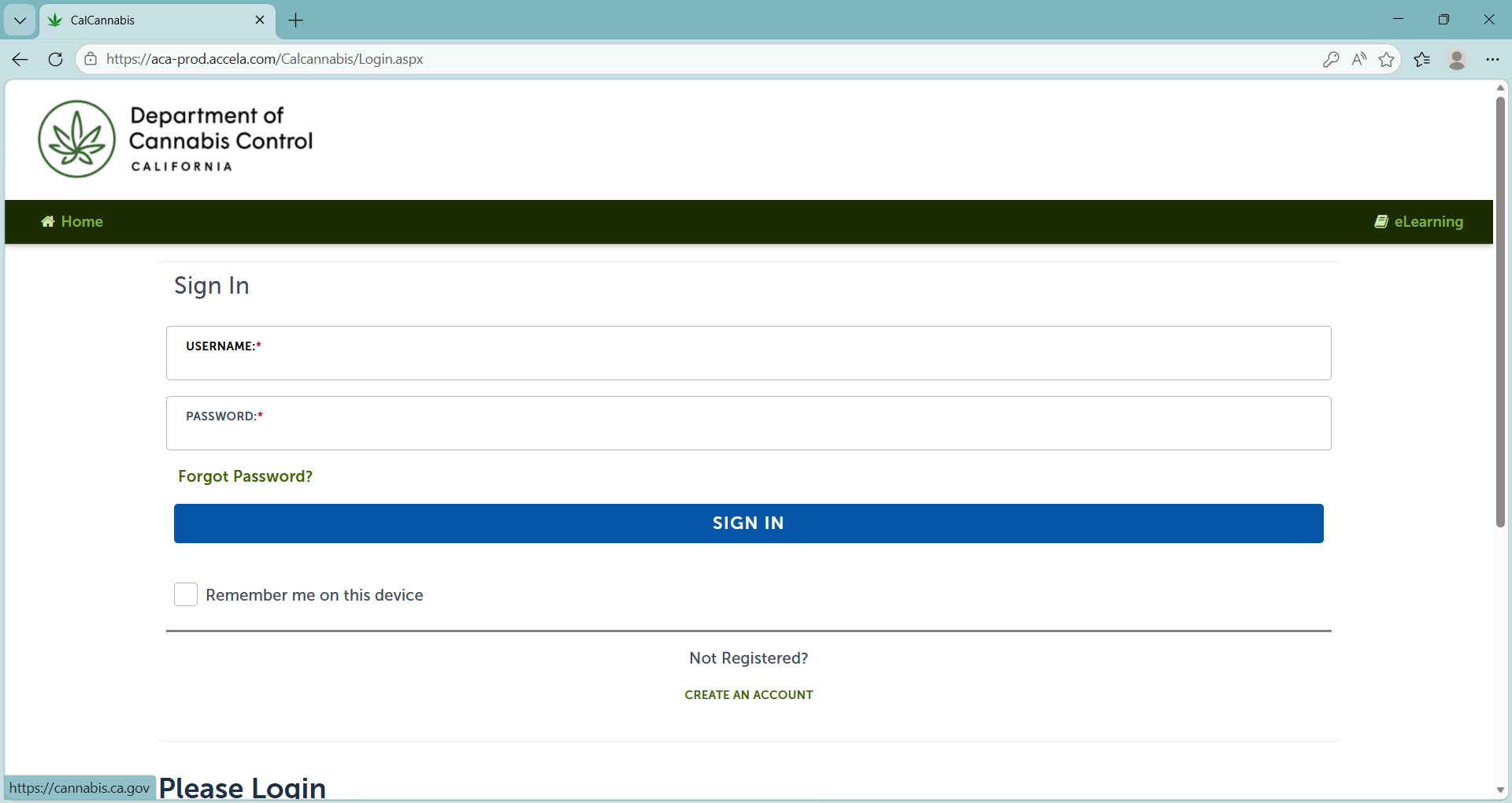
The login prompt displays on the next page.
Enter your username and password. Check the “Remember me on this device” box if you are using your own computer.
Note: To avoid confusion, do not use this feature if signing into multiple accounts for multiple applications.
Click Sign In.
My dashboard
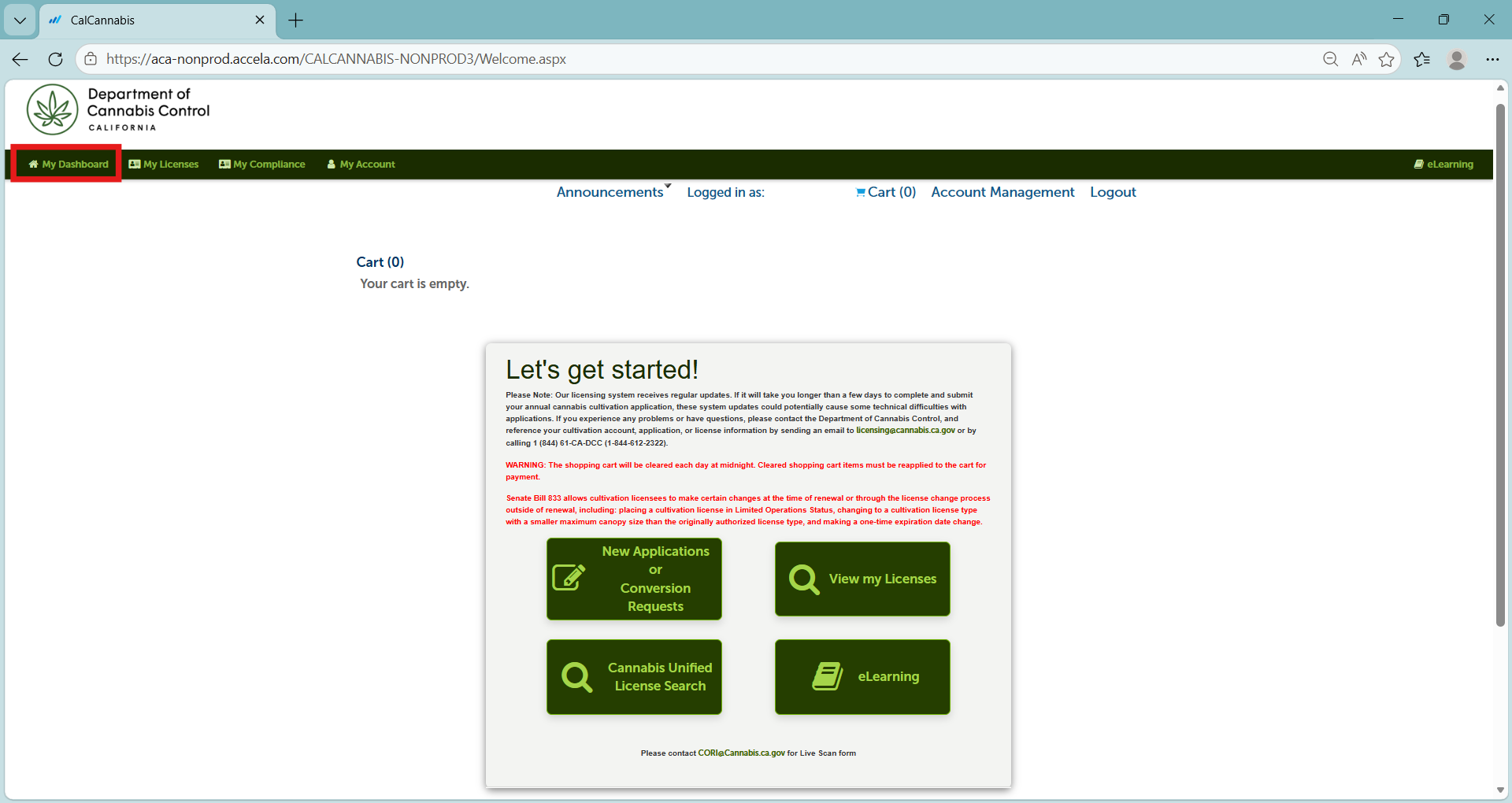
At the left is the “My Dashboard” page. There are links across the top of the screen and buttons in the center to access:
- New Applications or Conversion Requests
- View my Licenses
- Cannabis Unified License Search
- eLearning
Email CORI@cannabis.ca.gov to request a Live Scan Form.
My licenses
On this page you can resume work on a saved application, pay fees, view the status of an application, or see details of your cannabis cultivation license once it is issued.
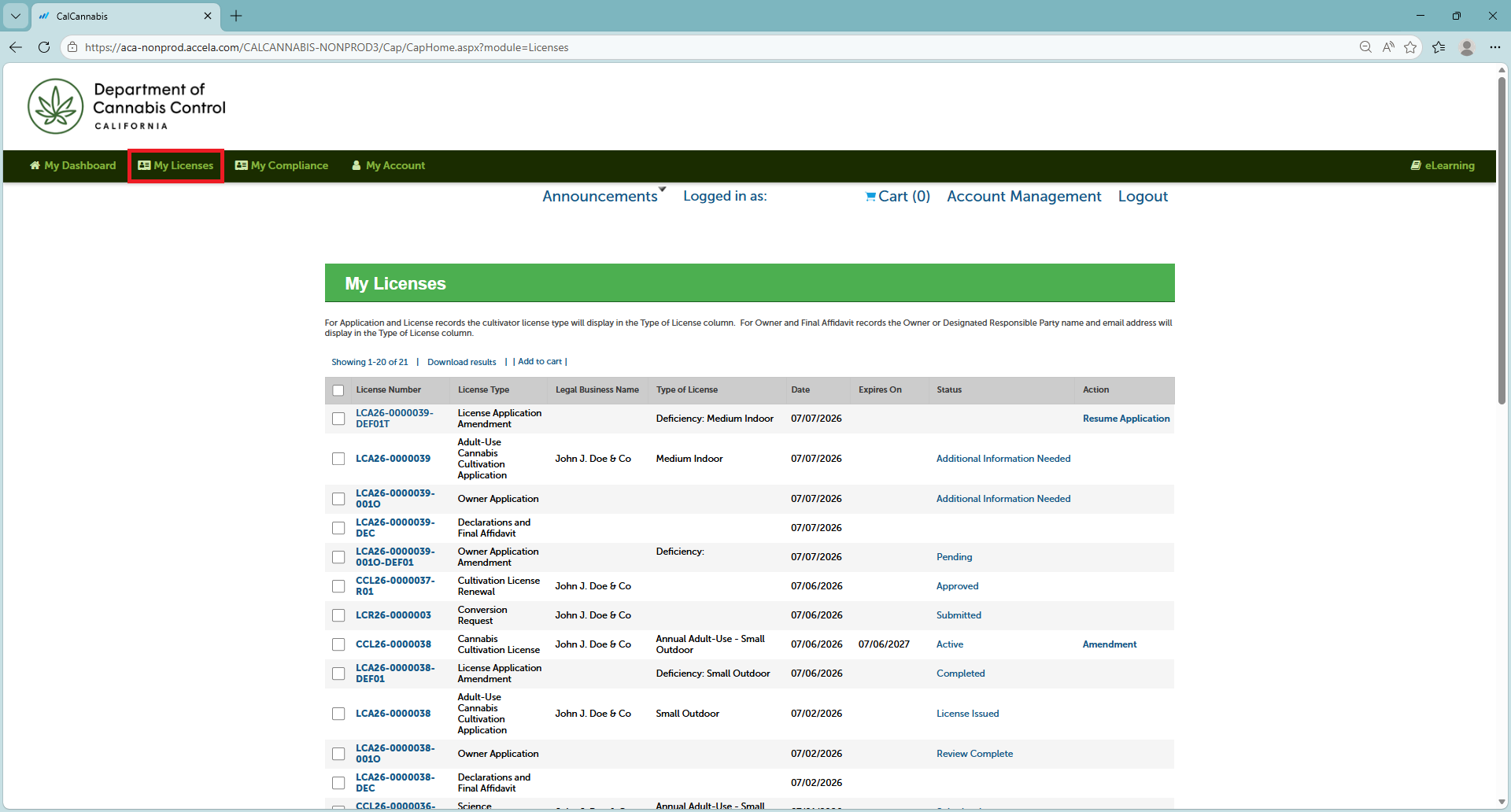
Click My Licenses in the menu bar.
This page lists all records associated with applications or licenses.
My account
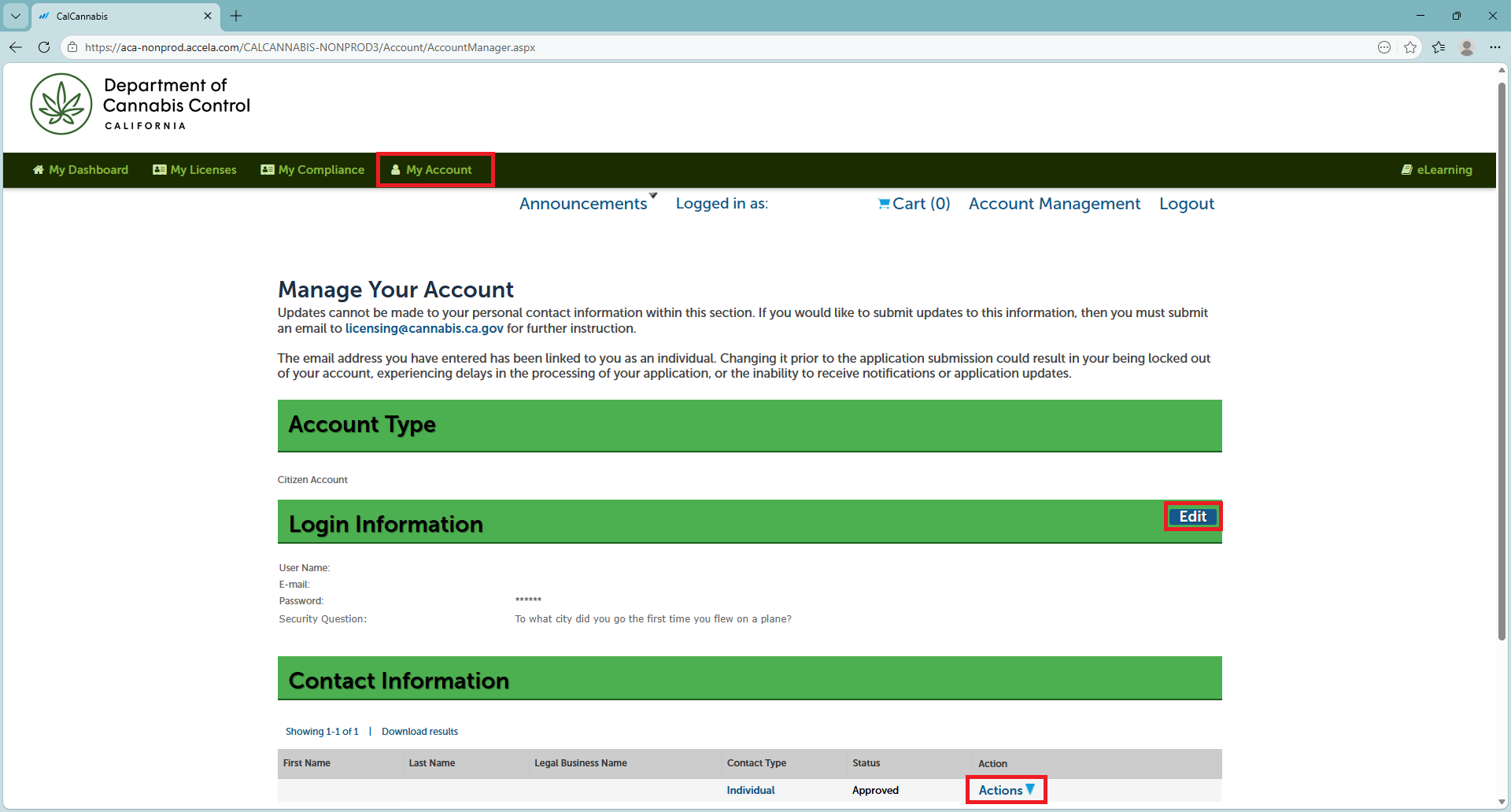
Click My Account. This page displays your login and contact information.
Login Information – click Edit to change your password and security question/answer.
Contact Information – use the “Actions” dropdown to view your address, email, phone number, and other personal information.
Note: Contact Information cannot be updated or modified. Please contact licensing@cannabis.ca.gov for further assistance.
Continue to next article
-
Applying for a license in the CLS system
This guide provides a comprehensive overview of the steps and requirements for starting an annual license application. It covers general terms, application type and license type options, including cooperatives. Key sections include: It also outlines necessary contact information and details required for the business, individuals, and owner’s list. Also included is information on premises, required…