
Last reviewed: August 3, 2026
Once all of the Owner Applications and the DRP’s Declarations and Final Affidavit are submitted, you can pay the application fee.
Correspondence
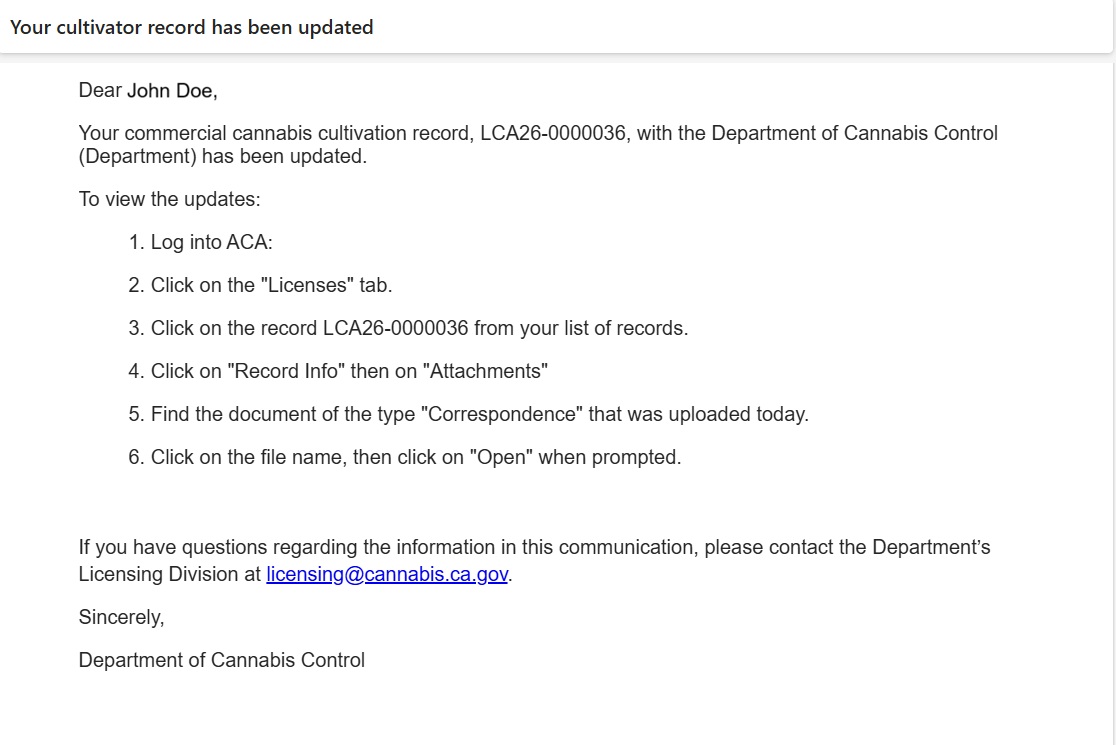
After submitting the Declaration and Final Affidavit, the system sends an email to the DRP and displays an announcement with information to log in, find the applicant record, and open the attachments section found in the “Record Information” tab.
Attached to your application are two PDFs:
- An instruction letter on how to pay the application fee
- An invoice for the fee
Note: The application fee is the first of two. Once your application fee is received, the department’s licensing program staff will review your application. If approved, you will be asked to pay your license fee before your license can be issued.
Instruction letter
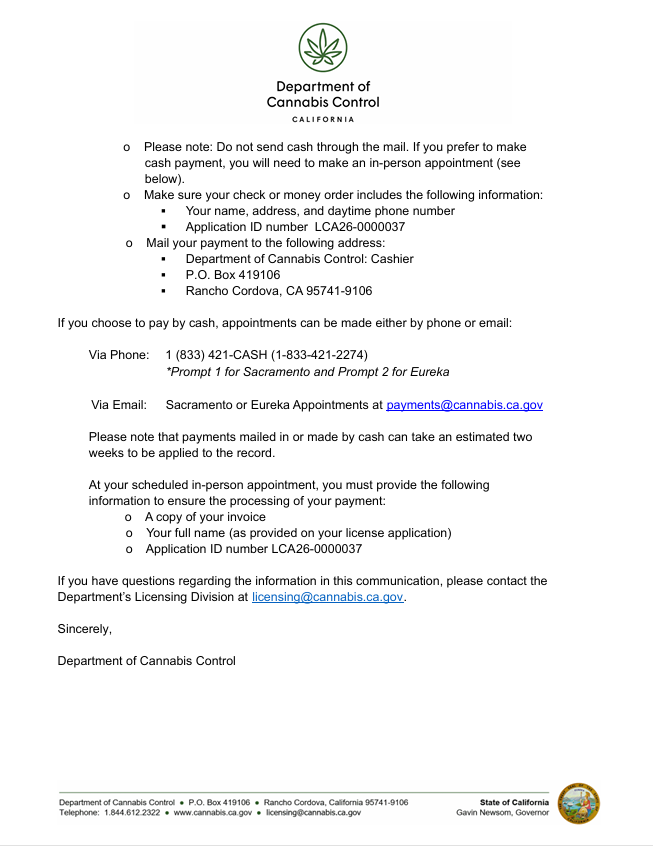
A two-page letter provides instructions on how to pay your fee. Choices are:
- Online (either credit or debit card)
- Check (sent by mail)
- Cash (in-person or by appointment)
The letter provides a postal address for mailing the check and lists a phone number you can call to arrange an in-person appointment to pay the fee in cash.
Invoice
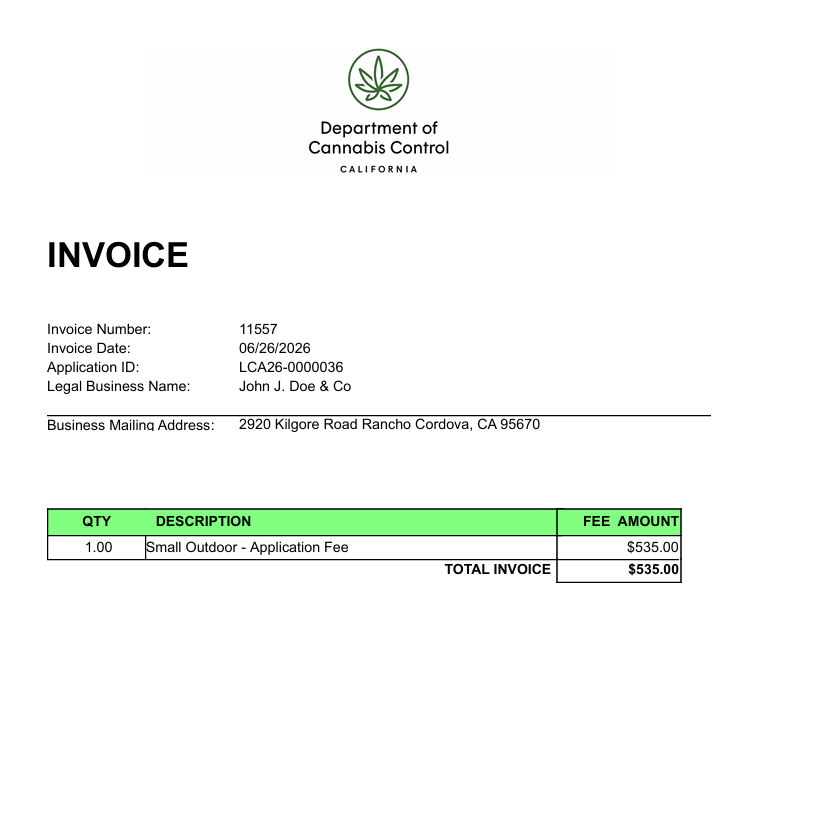
If you want to pay in cash, you will find a PDF invoice attached to your application, with the same date as the letter shown above.
Bring the invoice to your appointment with the DCC to pay your application fee with cash.
Pay the application fee
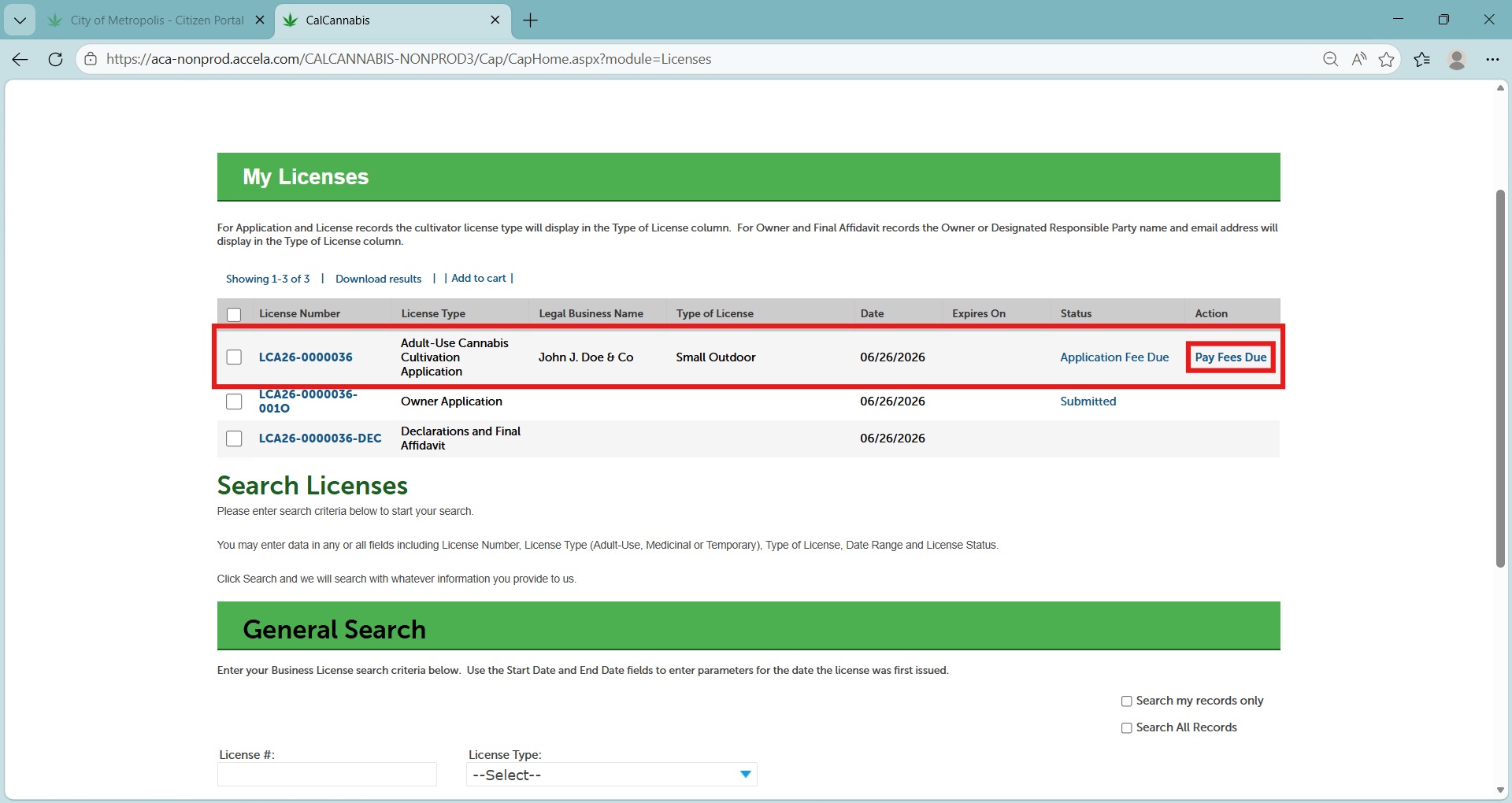
Log into your CLS account, then in the My Licenses list, find your license application. Your Owner Application and Declarations form are listed there as well.
The updated status of your license application is now “Application Fee Due”. The action listed is “Pay Fees Due”. Click on that link to begin the payment process.
Payment process
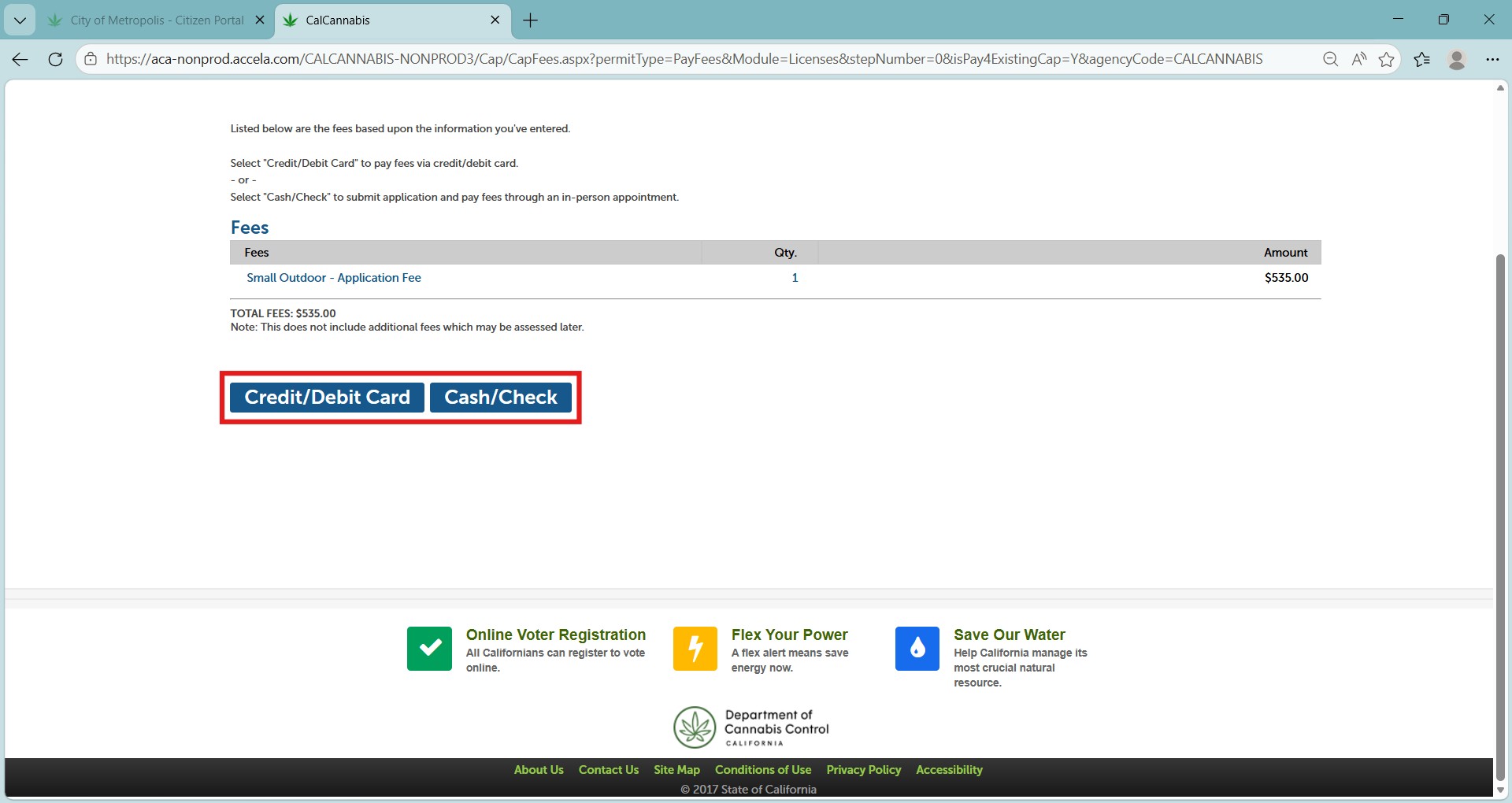
Your application fee is listed on the next page. You can choose Check Out to pay online using a credit or debit card.
You can also choose Cash/Check. If you do this, print your invoice and call the number on your letter to arrange an appointment with one of the DCC offices. Locations are in Sacramento, Eureka, and North Hollywood.
Pay online
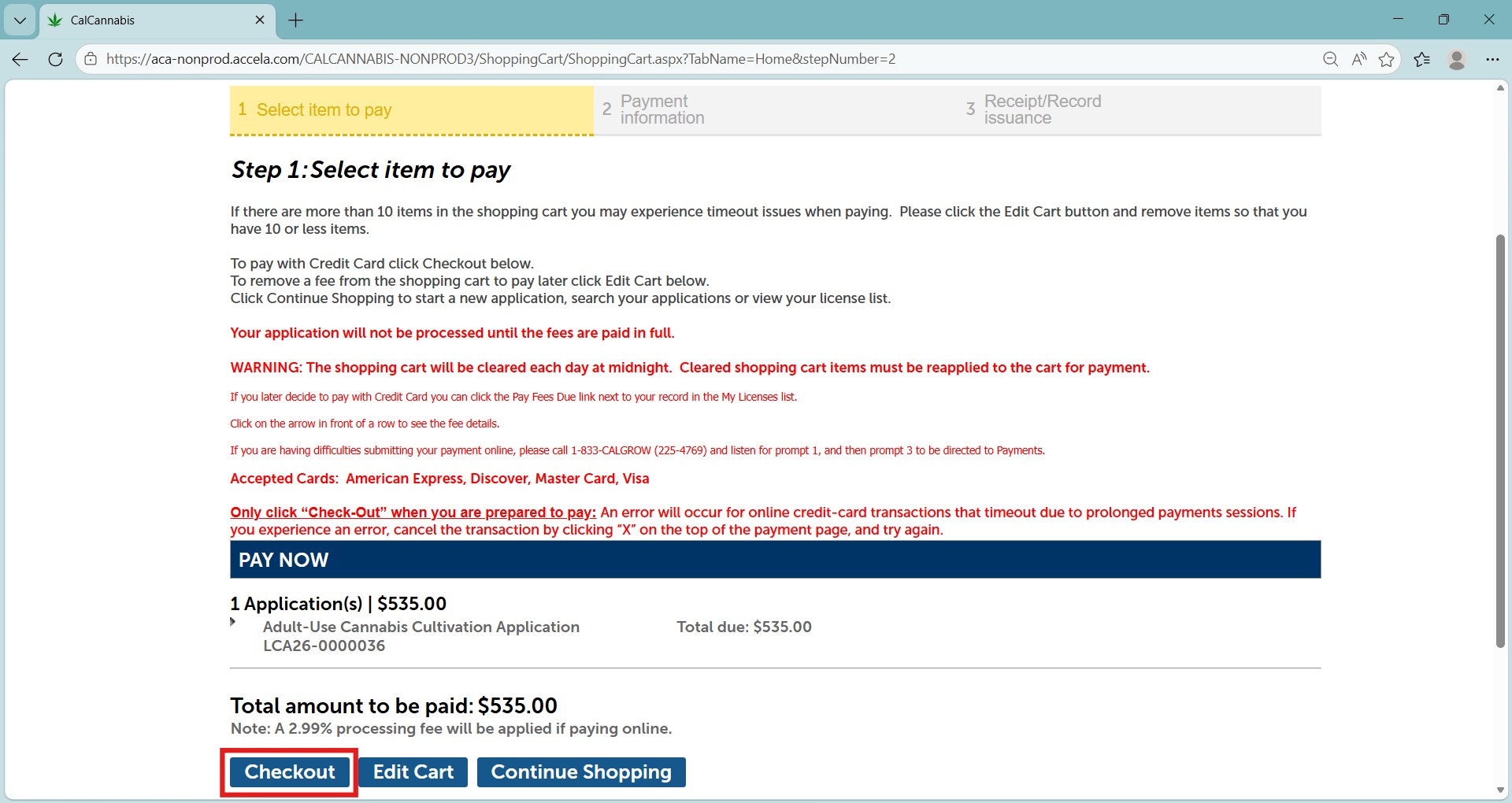
The Cart screen shows your application fee. Continue by clicking Checkout.
Note: The shopping cart will be cleared each day at midnight. Cleared shopping cart items must be re-added to the cart for payment.
Pay with credit card
Choose to pay by credit or debit card on the payment options screen. You will be taken to a third-party website to enter your card information.
Note: The DCC accepts Visa, Discover, American Express, and Mastercard. A service fee will apply.
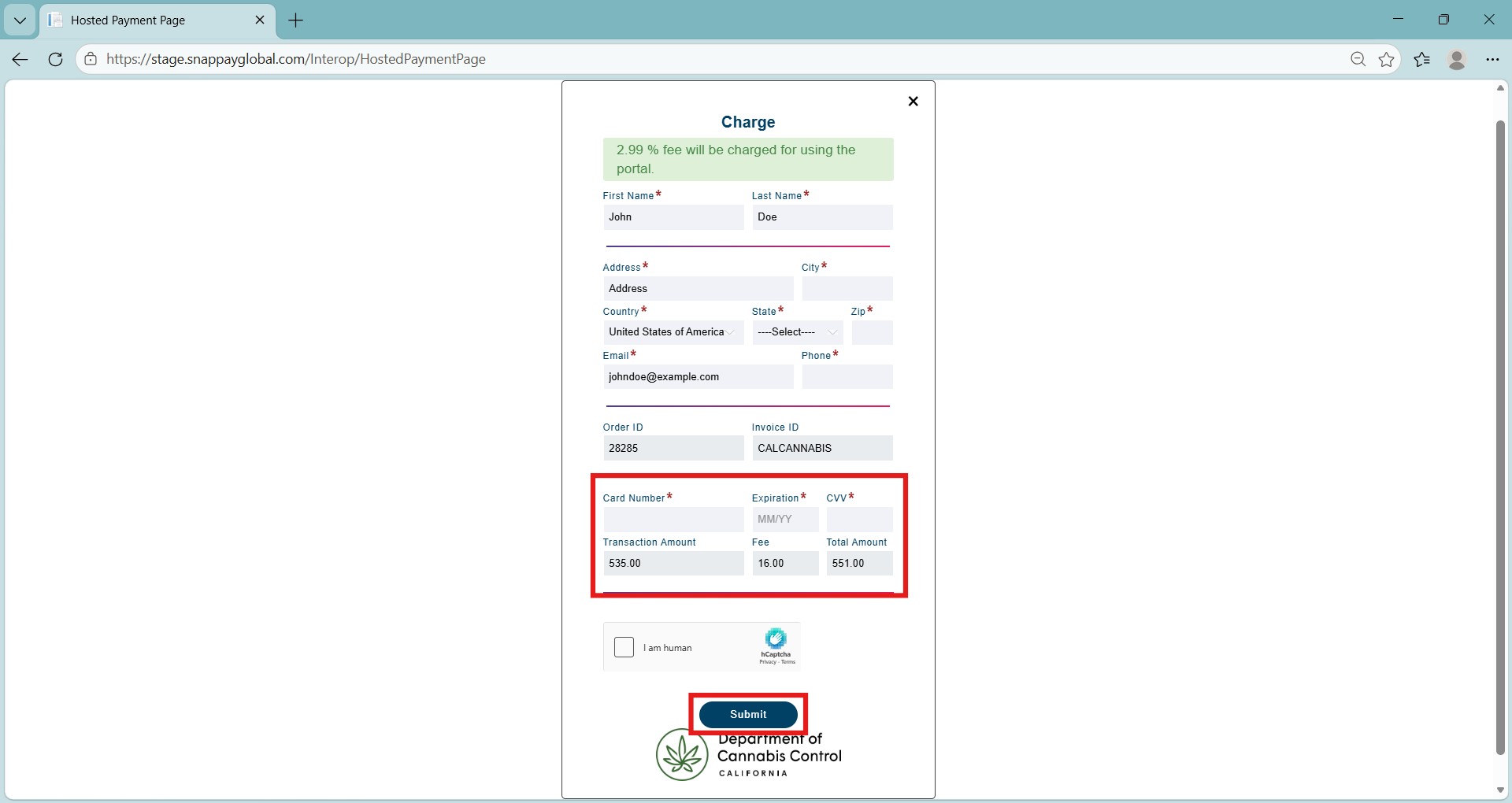
To the left is a payment portal screen for credit card payment. Fill out any missing contact information, as not everything transfers from your application.
Your fee is listed. Enter your payment information and click Submit. You will be returned to your application page, where you can print a receipt and continue.
Your application is now submitted for review by the department’s licensing division.
Pay with cash
Another way to pay your application fee is with cash or check.
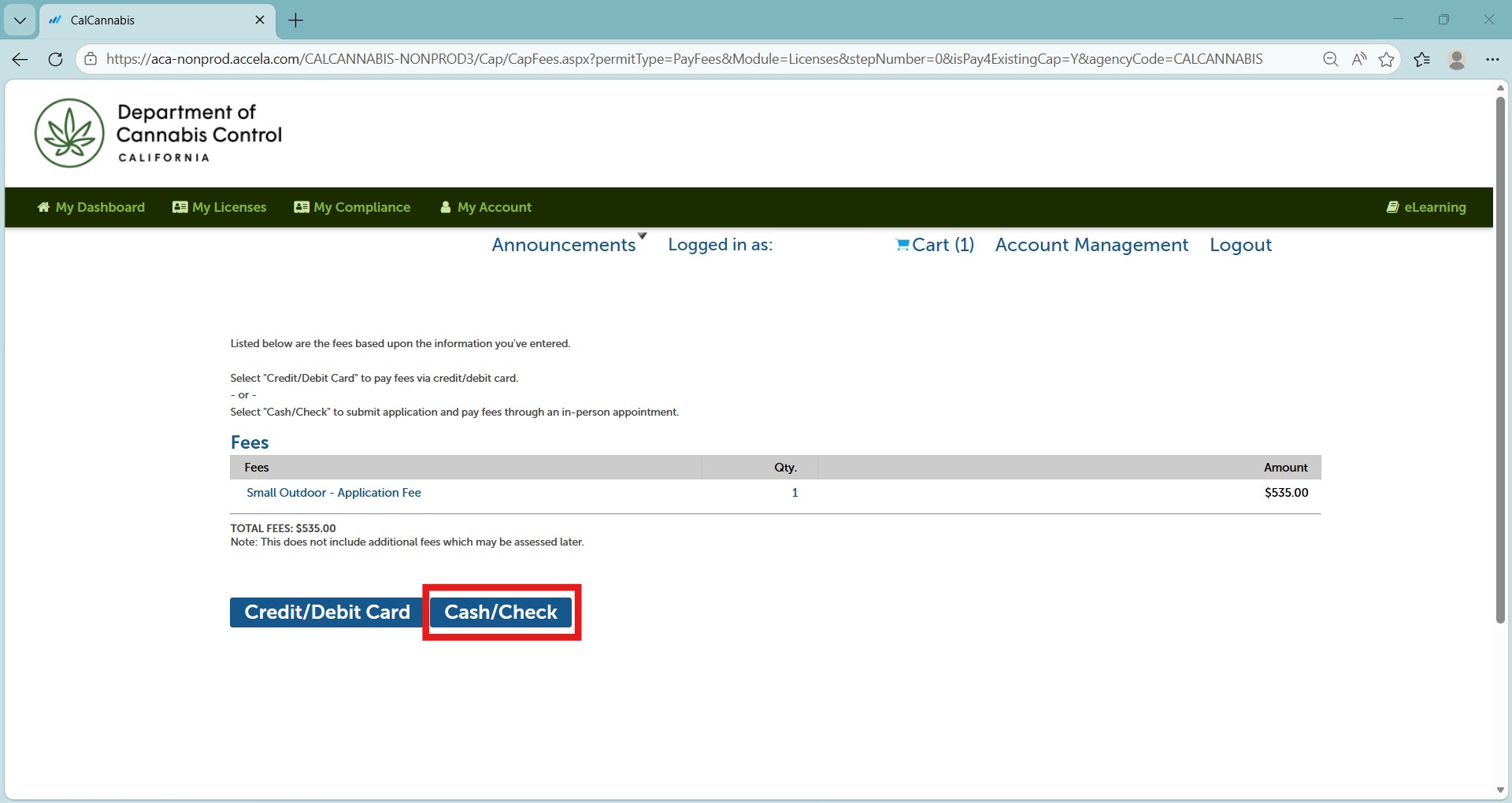
Select Cash/Check to continue.
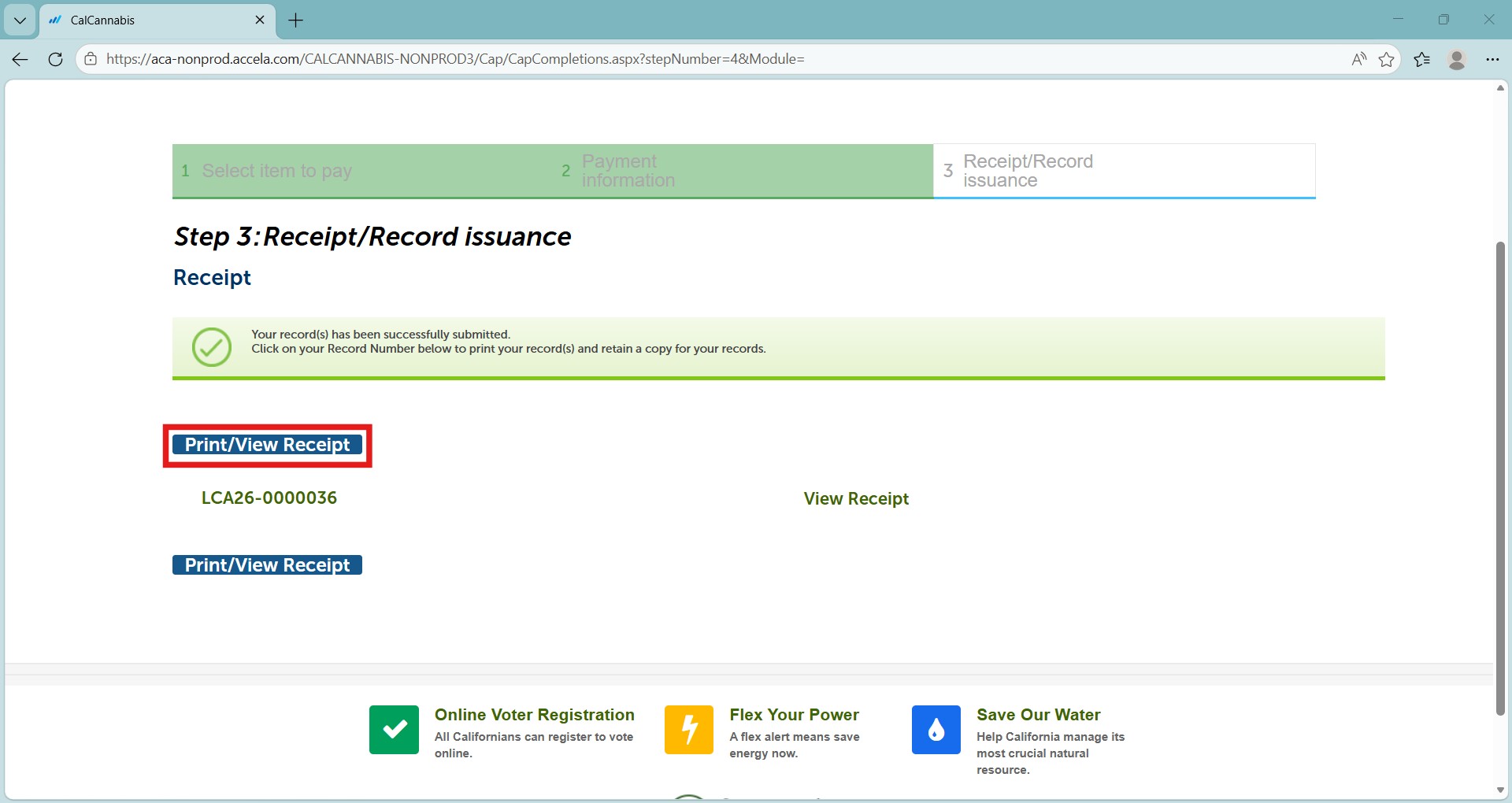
You are returned to your application, where you can print your receipt. The receipt will also be emailed to you.
Your complete application is now submitted for review by the department’s Licensing Division.
Continue to next article
-
CLS: Submit additional documents and requirements
This guide provides comprehensive instructions on submitting additional documents and meeting application requirements. After you submit your main application, you may open that application record to attach additional documents. For example, a document listing more financial interests than you can enter in the normal application process. Go to the Licenses list and find your submitted…